What Is Reverb in Music Production? Beginner Guide
Table of Contents
1. What Is Reverb in Music Production?
2. Why Reverb Matters in a Mix
3. Reverb vs Delay: What’s the Difference?
4. How Reverb Plugins Work: Algorithmic vs Convolution Reverb
6. Reverb Settings Explained for Beginners
9. How to Use Reverb on Vocals
10. Why Does Reverb Make a Mix Sound Muddy?
Key Takeaways
Reverb is the sound of space: It recreates the reflections that happen when sound bounces around a room, hall, chamber, or artificial environment.
Reverb helps place sounds in a mix: It can make a sound feel close, distant, intimate, wide, or cinematic.
Algorithmic and convolution reverbs work differently: Algorithmic reverb creates space using digital math (like 3D animation), while convolution reverb uses an impulse response to recreate the character of a real space (like a photograph).
Different reverbs create different moods: Room, hall, plate, chamber, and spring reverbs all have their own distinct character.
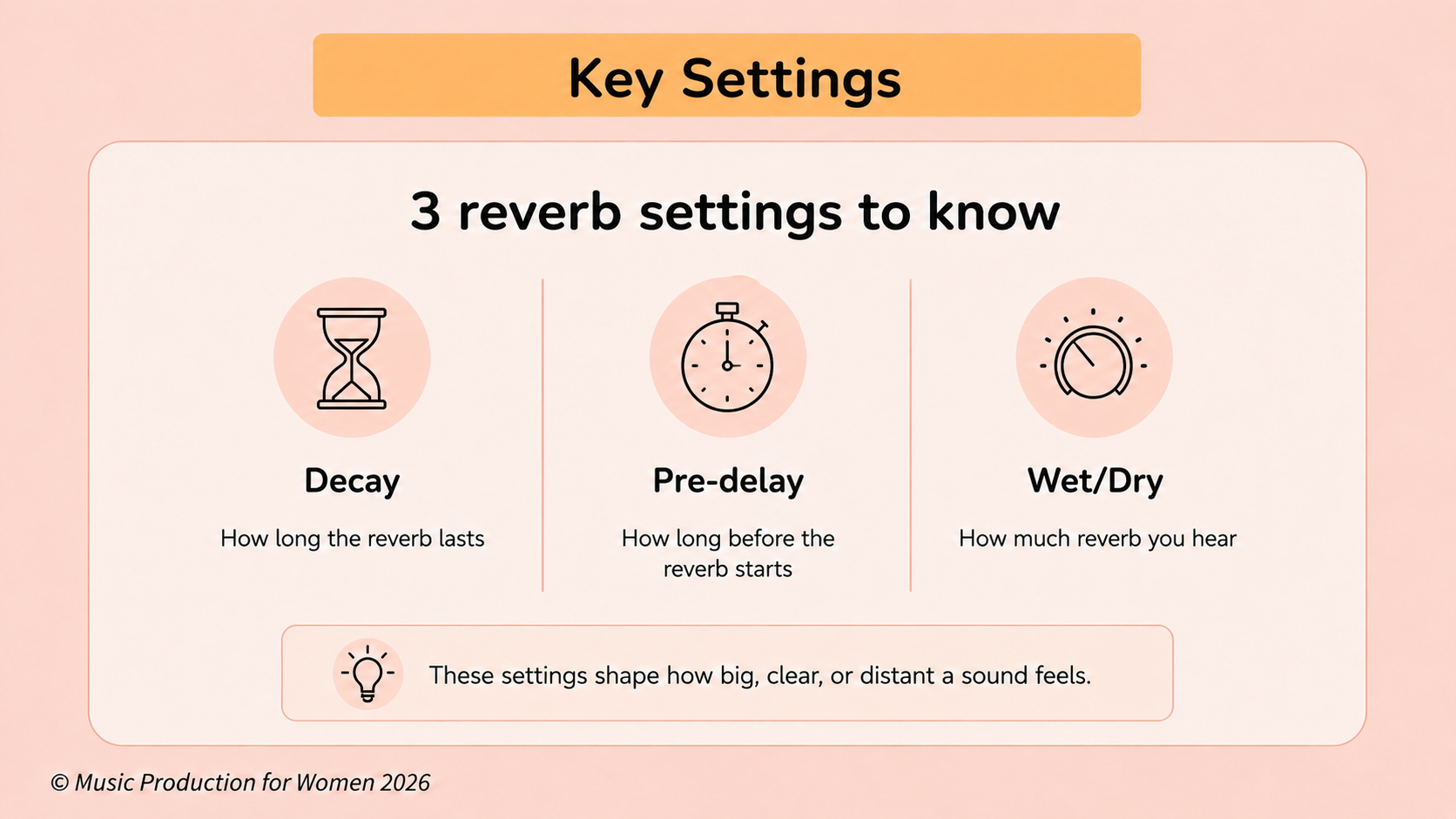
Decay, pre-delay, size, and wet/dry mix are key settings: These controls shape how big, clear, or distant a sound feels.
Too much reverb can make a mix muddy: Shorter decay times, pre-delay, EQ, and reverb sends can help keep things clearer.
Reverb is about placement: You’re not just adding an effect. You’re deciding where a sound lives in your 3D mix.
Confession time: almost every one of us overuses reverb when we first start producing.
You record a dry vocal, apply a huge “Grand Cathedral” preset, and suddenly everything feels bigger, more emotional, and more pro-level. But then you step back, play the track again, and realize your mix has turned blurry and everything sounds a little muddy.
That’s the tricky thing about reverb: the same effect that adds beautiful space, depth, and emotion can also wash away the clarity and impact you worked so hard to build.
In this beginner-friendly guide, we’ll break down what reverb actually is, how plugins create it, the main types of reverb you need to know, and how to use it to add space to your tracks without making your mix sound messy.
1. What Is Reverb in Music Production?
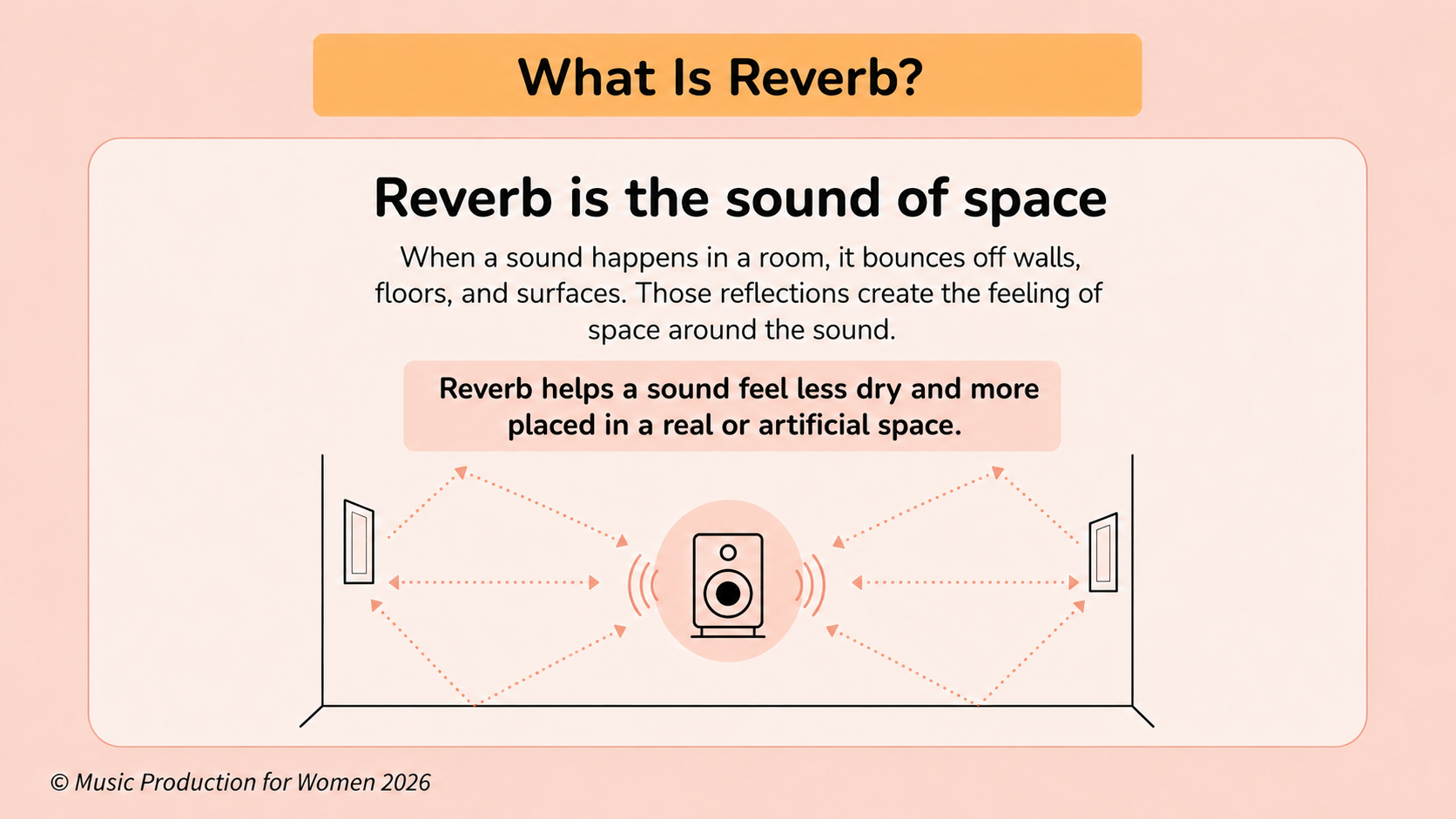
Put simply, reverb is what gives a sound a sense of space.
When you clap your hands in a room, the sound doesn’t only travel straight to your ears. It also bounces off walls, floors, ceilings, furniture, and other surfaces around you. Those tiny, rapid reflections return to your ears milliseconds after the original sound, creating the lingering sense of space we hear around it.
Simple definition:
Reverb is the collection of reflections that makes a sound feel like it exists in a physical space.
You might be thinking: “Isn’t there already natural reverb in the room where I’m recording?”
Yes and that natural room sound is part of every recording environment.
In music production, though, we often try to record sounds as “dry” as possible without natural room sound. Why? Because it gives us the freedom to use reverb intentionally as a creative and mixing tool later on.
For example, a vocal recorded very close to the microphone might feel incredibly dry and upfront. By adding a reverb plugin, we can place that vocal in a small cozy room, a massive concert hall, a dreamy pop space, or a completely imaginary environment.
So reverb isn’t just about making something “echoey”. It’s about choosing the space where your sound lives.
2. Why Reverb Matters in a Mix
Once you understand that reverb is about placing a sound in a space, it becomes much easier to understand why it matters in a mix.
A mix is not just about volume, EQ, and compression. It is also about perspective: what feels close, what feels far away, what feels intimate, and what feels wide or cinematic. Without reverb, every instrument can feel dry, flat, and disconnected.
Reverb helps you shape that space more intentionally.
It can:
Create space: Reverb gives dry sounds an environment to live in, whether that space feels realistic or completely imagined.
Add depth: Reverb helps decide what feels close to the listener and what sits further back in the mix.
Make sounds feel bigger: Short, subtle reverbs can make drums, vocals, guitars, or synths feel thicker and more polished without sounding washed out.
Add emotion: Different reverbs create different moods, from intimate and natural to cinematic and dramatic.
Glue a mix together: A shared reverb can help separate recordings feel like they belong in the same sonic world, instead of sounding like they were all recorded in different places.
This is why reverb is not just something you add for effect. It helps you shape the space, depth, and perspective of the entire mix.
3. Reverb vs Delay: What’s the Difference?
In your DAW, you will usually find both Reverb and Delay (along with their modulation cousins like Chorus and Flanger) plugins grouped together in a folder called “Time-Based Effects”.
While they are both time-based, they behave differently:
Reverb is made of many tiny reflections happening so close together that they blur into a smooth wash of ambience.
Delay is a clearer, distinct, rhythmic repeat of the original sound.
The easiest way to remember it:
Reverb: singing in an empty church.
Delay: shouting “hello” into a canyon and hearing “hello… hello… hello…” repeat back at you.
They also work beautifully together. You can use delay to create rhythmic movement, then use reverb to place that delayed sound inside a larger, atmospheric space.
4. How Reverb Plugins Work: Algorithmic vs Convolution Reverb
Before we look at the main types of reverb, it helps to understand how reverb plugins actually create these spaces. Most reverb plugins fall into two broad categories. Think of it like the difference between 3D animation and a photograph:
Algorithmic Reverb
Algorithmic reverb creates a sense of space using digital processes, usually built from networks of tiny delays, filters, and feedback paths. Instead of copying a real room, it mathematically creates reverb.
Think of this like 3D animation: it synthesizes a fake room from scratch.
This makes algorithmic reverbs very flexible. Because it's just code, you can shape the size, tone, decay, modulation, and character of the space in a highly creative way. They are often great when you want something musical, smooth, dreamy, or stylized rather than a perfectly realistic room.
Convolution Reverb and Impulse Responses
Convolution reverb works differently. Think of this like a photograph.
It uses something called an impulse response, often shortened to IR.
An impulse response is like an acoustic fingerprint of a physical space. Imagine a sound engineer standing in the middle of an empty cathedral. To capture the reverb, they make a very short, sharp sound, like a clap, balloon pop, starter pistol, or sine sweep. The way that sound bounces around the room and fades away is captured as data.
A convolution reverb then uses that literal audio recording — the IR — and mathematically stamps it onto your sound. So, if you load an impulse response from a church, studio room, plate reverb, or concert hall, your dry vocal or instrument takes on the exact character of that real space. You are literally singing inside a photograph of a world-class venue.
Apple describes Space Designer as a convolution reverb that combines an audio signal with an impulse response containing a room's reflections after an initial sound spike.
You don’t need to understand all the complex physics to use reverb well. But this idea is useful: reverb is not just a random wash of sound. It is the unique personality and footprint of a space reacting to your music.
5. The Main Types of Reverb
Not all reverbs sound the same. Here are the main types you’ll usually find in your DAW or reverb plugins.
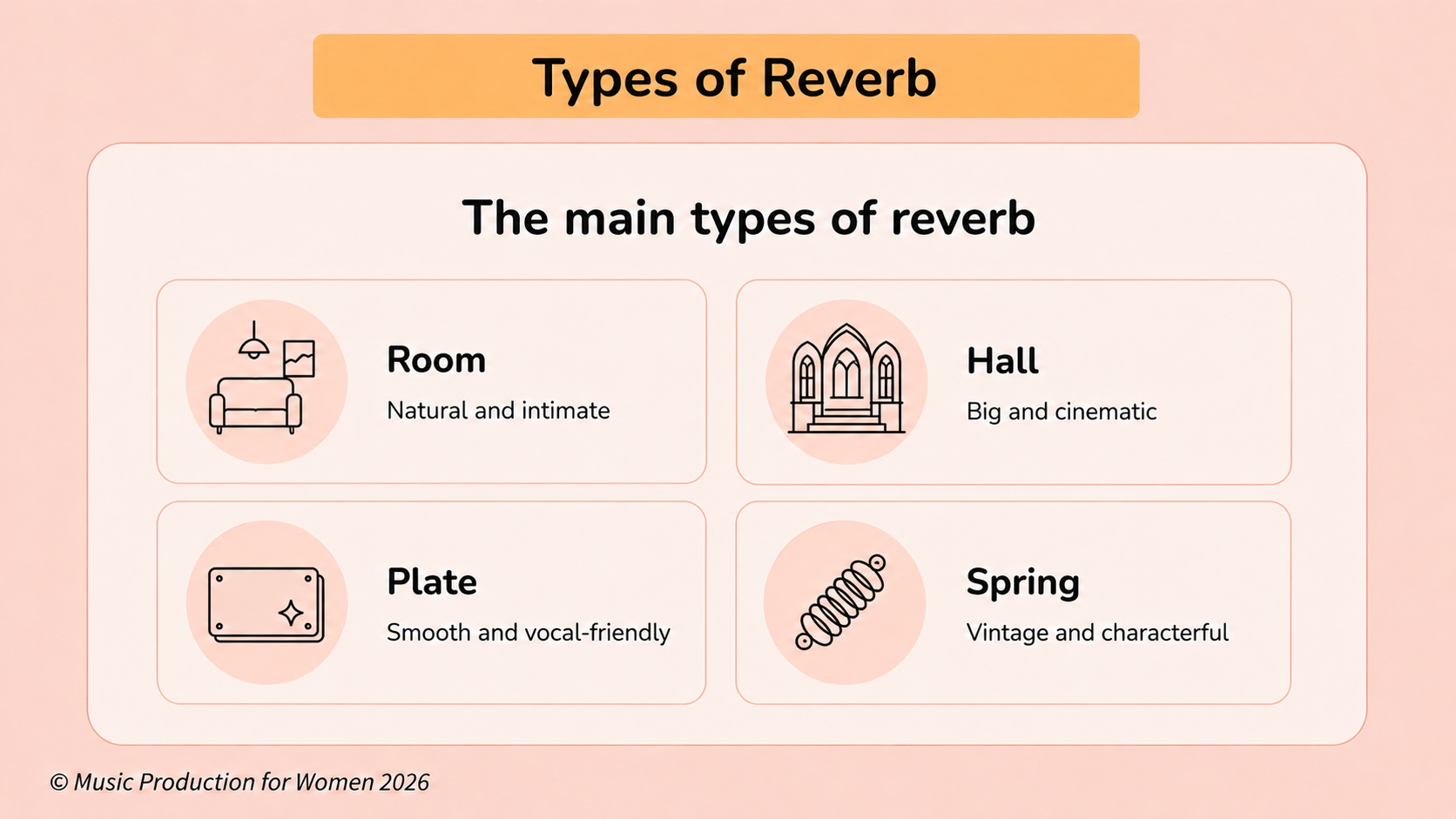
Room Reverb
Room reverb simulates a smaller, more natural space.
It works well on drums, acoustic guitars, percussion, and subtle ambience when you want to add life without making the reverb feel too obvious.
Sound: natural, intimate, and tight.
Hall Reverb
Hall reverb simulates a large, open space like a concert hall.
It can sound beautiful on vocals, piano, strings, pads, and emotional sections, but it also takes up a lot of room in the mix, so use it carefully.
Sound: big, lush, and dramatic.
Plate Reverb
Plate reverb was originally created by sending audio through a massive, vibrating metal plate, yep, just like The Beatles did. Today, we usually use digital plugins that recreate this sound.
Plate reverb is incredibly popular on lead vocals and snare drums because it adds gorgeous, expensive polish and shine without making your singer sound like they are trapped inside a literal physical room.
Sound: smooth, bright, dense, and classic.
Chamber Reverb
Chamber reverb recreates the sound of a highly reflective physical room (studios used to build actual echo chambers).
It can be a great choice when you want something with more personality and vintage warmth than a simple room reverb.
Sound: rich, thick, and full of character.
Spring Reverb
Spring reverb was originally created by sending sound through physical metal springs (think of that classic, drippy Surf Rock guitar tone from a Quentin Tarantino movie!).
It is especially associated with electric guitars, indie textures, and vintage tones. It might not be a "natural" room sound, but it adds an incredible vibe.
Sound: bouncy, metallic, retro, and characterful.
6. Reverb Settings Explained for Beginners
Reverb plugins can look overwhelming at first, but you don’t need to understand every control immediately. Start with these key settings.
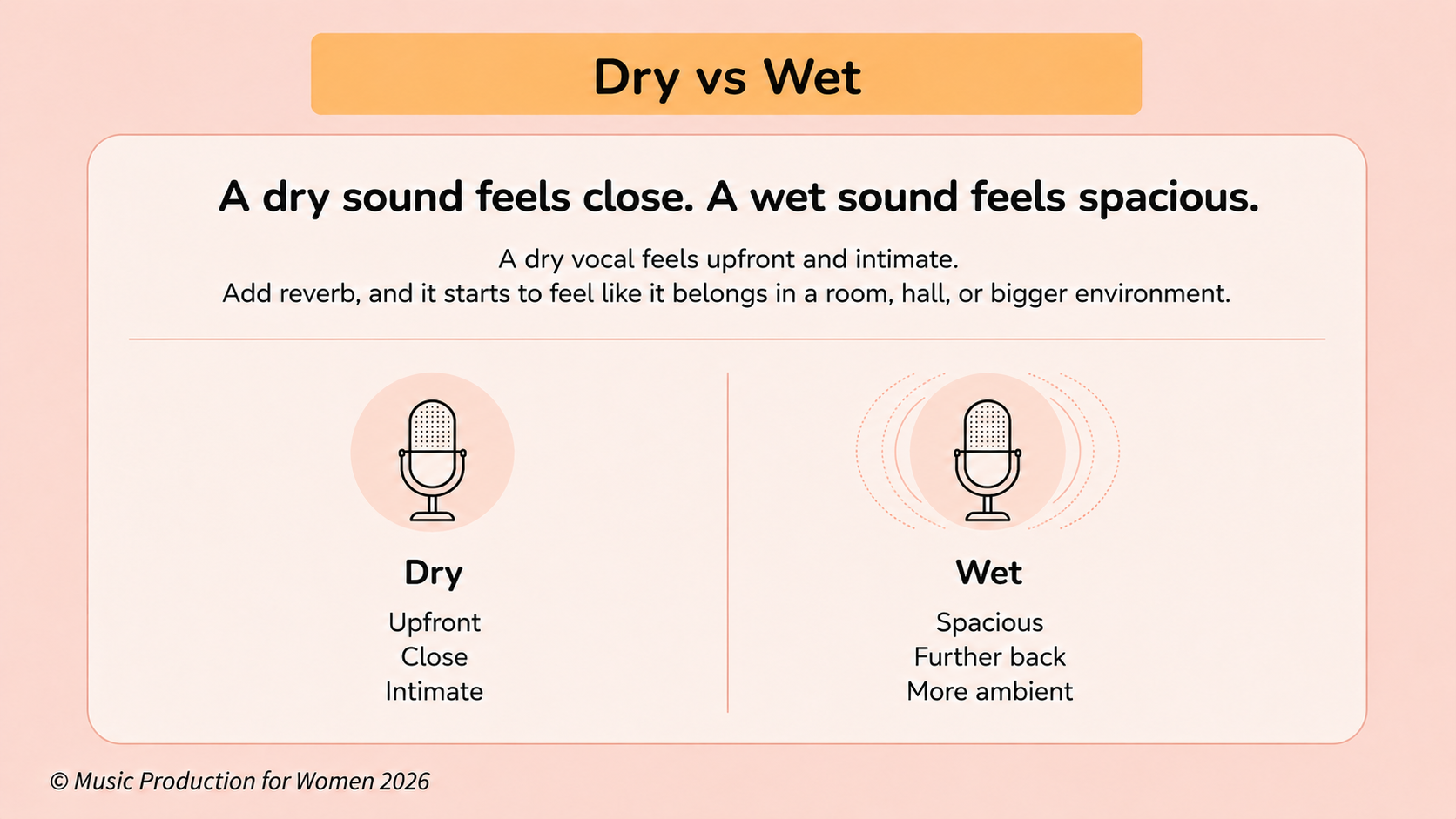
Dry vs Wet Mix
Dry means the original, unaffected sound.
Wet means the processed reverb sound.
A completely dry vocal feels close, direct, and upfront. A wetter vocal feels more spacious, floaty, and further away. The more wet signal you add, the more space you create. But you also push that sound further away from the listener.
Beginner tip: If your vocal suddenly loses its power, your reverb may be too wet. Pull the wet level, or send the level back, until the vocal feels clear again.
Pre-Delay
Pre-delay controls the exact amount of time it takes for the reverb to start after the original dry sound plays.
But here is the cool psychological trick: pre-delay actually dictates how close the sound feels to the listener. Imagine standing two feet away from a singer in a massive, empty church. You hear their raw, direct voice instantly. But it takes a split-second for their voice to travel to the distant walls, bounce off, and return to your ears. That tiny gap of silence before the echo hits is the pre-delay. It tricks your brain into thinking: “This singer is right in front of my face, but the room is huge.”
This is very useful on vocals because a little pre-delay, around 20–40 ms,lets the dry consonants reach the listener first, keeping the words clear while still adding lush space.
Decay Time
Decay time controls how long the reverb tail lasts before fading to silence.
Short decay: tight, clean, and controlled.
Long decay: huge, dreamy, and dramatic.
Shorter decays are often better for busy, fast-paced songs because they leave more space for the next note, word, or drum hit. Longer decays can work beautifully in slower or more sparse arrangements.
Size
Size controls the perceived physical dimensions of the virtual room or space. A small size might feel like a vocal booth or bedroom. A large size might feel like a church, hall, or cinematic environment.
Size is about the blueprint of the room. Decay is about how long the reflections last inside it.
Damping / Tone
Damping or tone controls how bright or dark the reverb feels. A bright reverb sounds shiny, airy, and more noticeable. A darker reverb blends more smoothly into the background shadows of your mix.
If your reverb feels harsh or distracting, try slightly darkening it. If it feels too hidden, you may need a little more brightness.
7. The Reverb Cheat Sheet
One easy way to understand reverb settings is to stop thinking about routing knobs and imagine throwing a tennis ball inside a huge empty room.
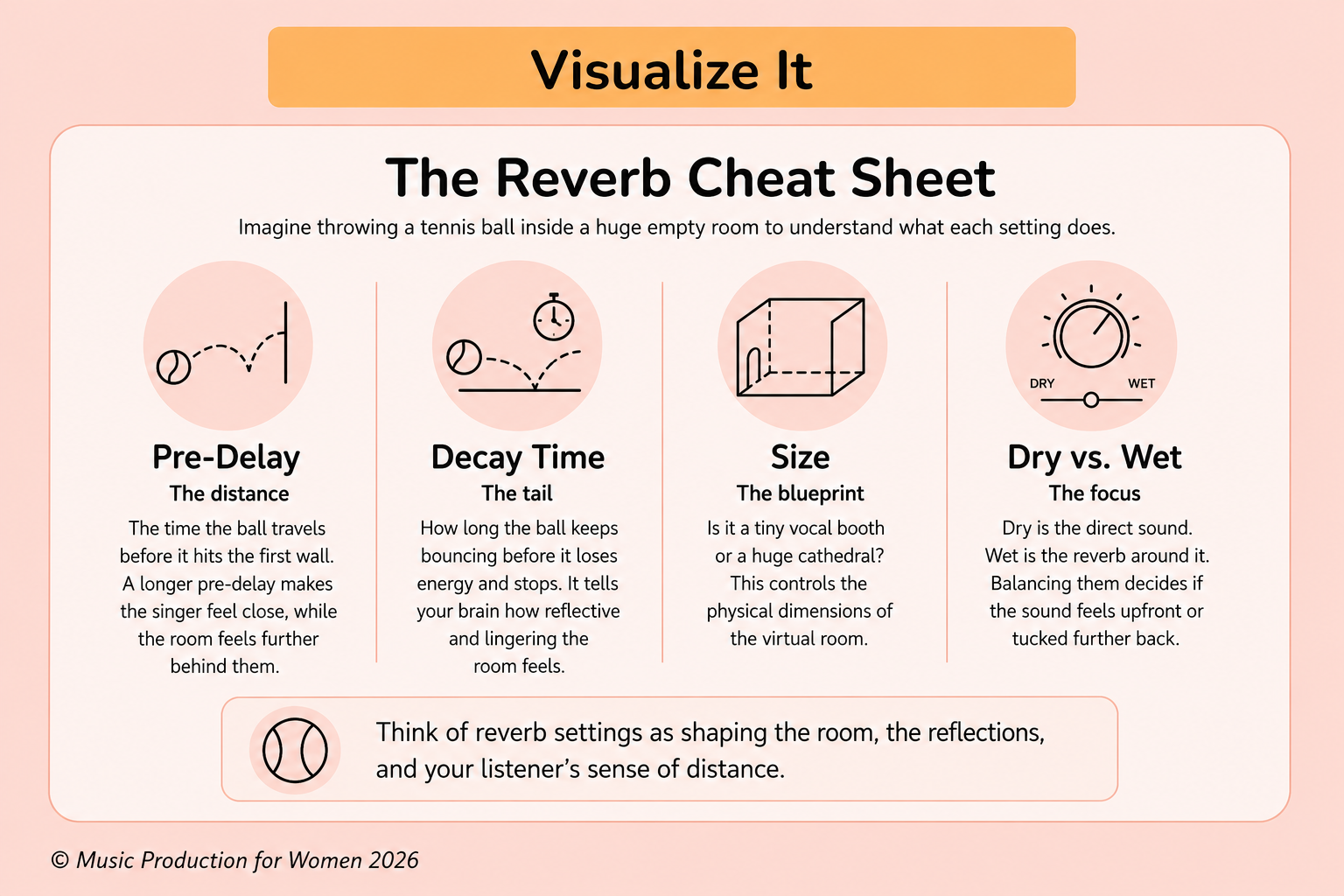
Pre-Delay: The Distance
Pre-delay is like the time the ball spends flying through the air before it hits the first wall. In audio, a longer pre-delay tells your brain the singer is right in front of your face, while the room is far behind them.
Decay Time: The Tail
Decay time is how long the ball keeps bouncing off the walls, floor, and ceiling before it finally runs out of energy and stops. In audio, it tells your brain how reflective and lingering the room feels.
Size: The Blueprint
Size is the difference between throwing the ball inside a tiny vocal booth or a huge gothic cathedral. It dictates the physical dimensions of the virtual room.
Dry vs Wet: The Focus
The dry signal is the raw sound of a tennis ball hitting you right in the nose (upfront and direct). The wet signal is the blurry echo of it bouncing everywhere else (spacious and distant). Balancing the two decides if your sound is in the spotlight or tucked away in the shadows.
8. How to Use Reverb in a Mix
Here are some quick habits to help you use reverb more intentionally.
Start With a Reverb Send or Aux Return
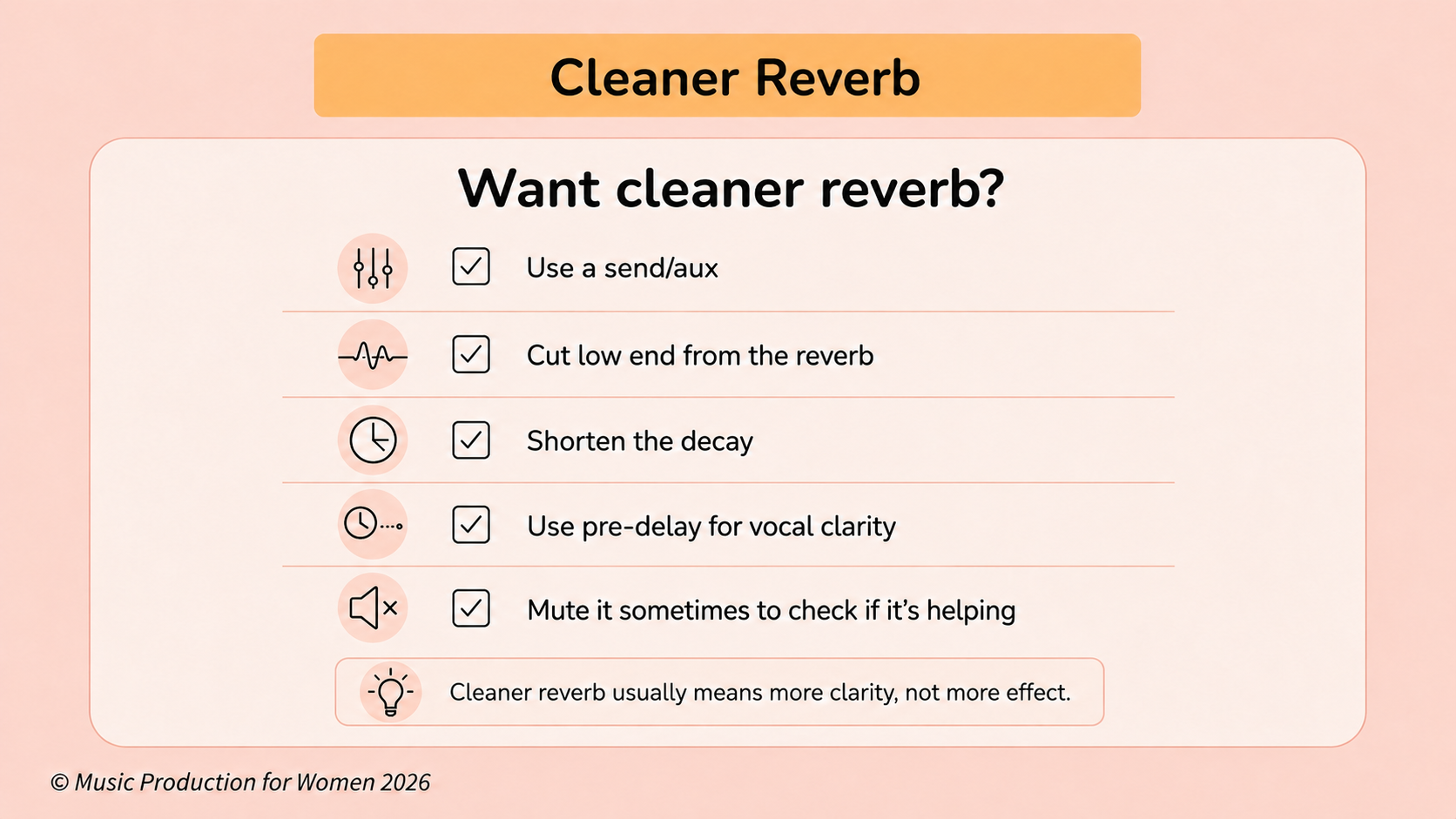
Instead of adding a reverb plugin to every track, create a reverb send or aux return.
Place one reverb plugin on the aux channel, set it to 100% wet, then use each track’s send knob to control how much signal goes into that shared reverb.
This helps you save CPU, keep your session cleaner, and make different sounds feel like they belong in the same space.
Pro tip: Try using two reverb buses: one short reverb for tight space and one long reverb for bigger atmosphere.
Use Less Than You Think
Reverb can sound beautiful in solo, but too much of it can make the full mix sound cloudy.
A useful rule: turn the reverb up until you can hear it, then pull it back slightly.
Mute and unmute it to check if it is actually helping the mix.
Choose the Space Before the Preset
Before choosing a preset, ask yourself:
Should this sound feel close or far away?
Should the song feel intimate or cinematic?
Should the reverb feel natural or creative?
This helps you choose reverb with intention.
Automate for Impact
Reverb doesn’t have to stay the same for the whole song.
Try automating the send level at the end of a vocal phrase or on a dramatic snare hit before a chorus.
This is often called a reverb throw, and it adds movement without washing out the whole track.
9. How to Use Reverb on Vocals
Vocals are one of the most common places to use reverb, but they are also one of the easiest places to overdo.
Keep the Vocal Clear First
Before adding reverb, make sure the vocal already works in the mix: check the level, EQ, compression, tuning, and balance with the instrumental.
Start with a clear vocal, then use reverb to place it in a space.
Try a Plate Reverb
Plate reverb is a great starting point for vocals because it adds smoothness, brightness, and polish without making the vocal sound like it is in a specific room.
Try a short or medium plate and adjust the send level until the vocal feels spacious but still present.
Use Pre-Delay for Clarity
If the vocal starts to disappear, try adding a little pre-delay.
Around 20–40 ms can help the dry vocal come through first, keeping the words clear before the reverb blooms behind it.
EQ the Reverb
If the reverb sounds muddy, place an EQ after the reverb on the aux channel.
Cut unnecessary low frequencies, often somewhere below 200–300Hz, and tame the high end if the reverb feels too bright.
Real Example: Dry vs. Wet Vocals
Listen to the example below.
First, you’ll hear a dry vocal with no reverb. Then, you’ll hear the same vocal with plate reverb added through a send.
Notice how the reverb adds space and polish, while the vocal still stays clear and upfront.
Dry Vocal Example: “Hover” by Xylo Aria
Wet Vocal Example: “Hover” by Xylo Aria
10. Why Does Reverb Make a Mix Sound Muddy?
If your mix sounds blurry, distant, or unclear, reverb may be one of the reasons. Here are the most common causes.
The Decay Is Too Long
If the reverb tail keeps ringing over the next word, note, or drum hit, the mix can quickly become cloudy. Try shortening the decay time until the reverb supports the sound without swallowing the next phrase.
There Is Too Much Low-End
Low frequencies take up a lot of space. If your reverb return has too much low-end energy, the mix can feel heavy and undefined. Try cutting unnecessary lows with an EQ.
There Are Too Many Conflicting Spaces
Too many different reverbs can make a mix feel messy. Try using one or two shared reverb buses first, then add creative reverbs only when they have a clear purpose.
The Vocal Is Too Wet
Too much reverb can push the lead vocal too far back, making the lyrics harder to understand. To bring it forward, lower the send level, shorten the decay, add pre-delay, or EQ the reverb return.
11. Beginner Reverb Checklist
Before you call your reverb settings finished, run through this quick checklist.
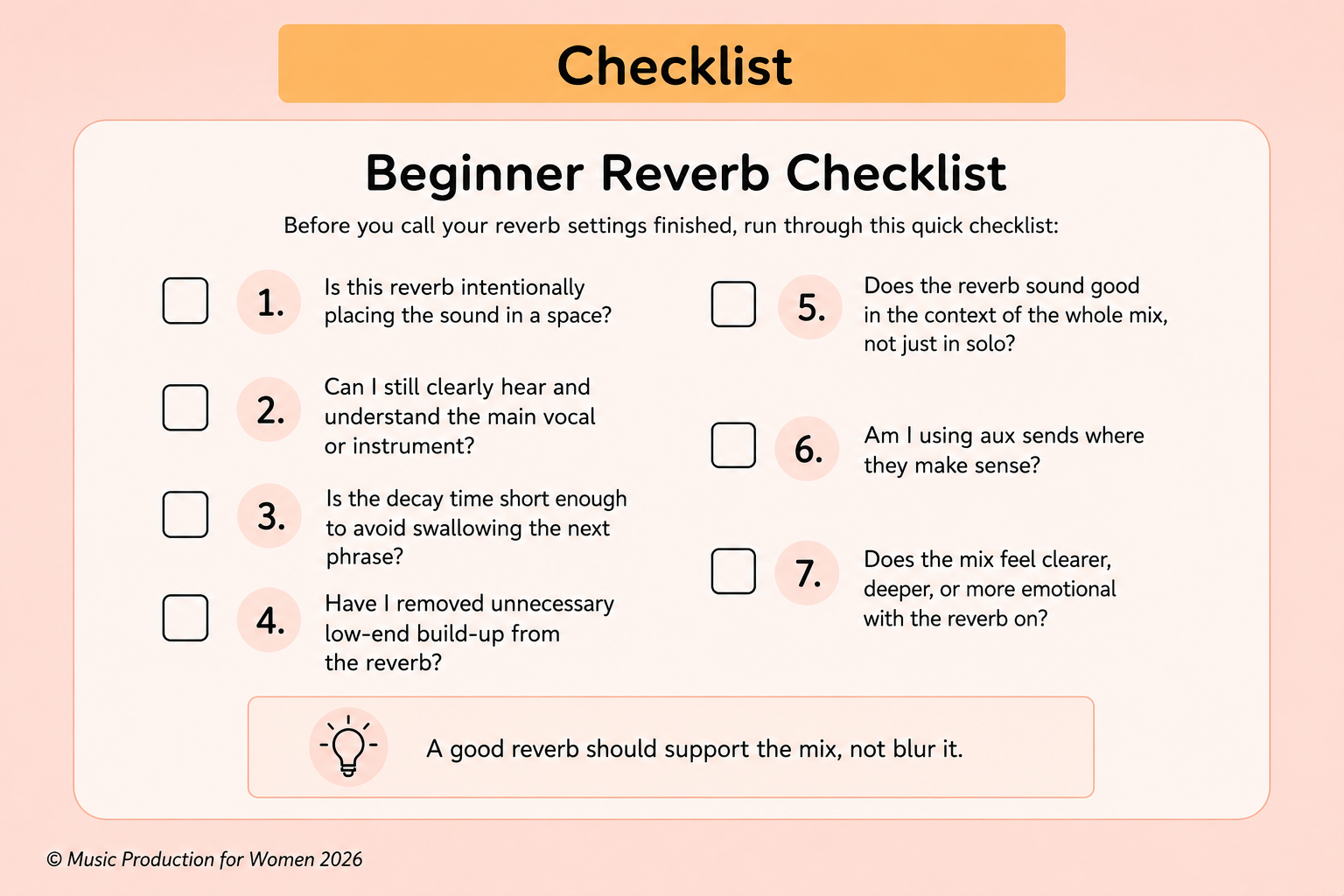
Golden rule:
A good reverb should support the mix, not blur it.
Want to Start Producing But Not Sure Where to Start?

12. Final Thoughts: Reverb Is About Space, Not Just Effect
Reverb is one of the most powerful tools in your DAW because it shapes the mood, depth, and scale of your song.
But the goal is not to add a beautiful preset and hope it works. The goal is to make intentional choices about where each sound lives in the mix.
Once you start thinking of reverb as a way to control space and perspective, rather than just a shiny effect, your mixes will feel more balanced, intentional, and professional.
You’ve got this.
Download the Free Reverb Cheat Sheet
FAQs
What is reverb in music production?
Reverb is an audio effect that creates the feeling of space around a sound by recreating reflections from a room, hall, or artificial environment.
What does reverb do to a sound?
Reverb adds space, depth, and dimension. It can make a sound feel bigger, further away, more emotional, or more connected to the mix.
What is the difference between reverb and delay?
Reverb creates a smooth wash of reflections, while delay creates clear repeats of the original sound, like an echo.
What is an impulse response in reverb?
An impulse response, or IR, is the acoustic fingerprint of a space or device, used in convolution reverb to recreate its sound.
What is convolution reverb?
Convolution reverb uses an impulse response to recreate the sound of a real room, hall, plate, or hardware reverb.
What do dry and wet mean in reverb?
Dry means the original sound. Wet means the reverb sound. The wet/dry balance controls how close or spacious a sound feels.
What type of reverb is best for vocals?
Plate reverb is a great starting point for vocals because it sounds smooth, bright, and polished without making the mix too cluttered.
Why does my reverb sound muddy?
Reverb can sound muddy if the decay time is too long, there is too much low end, or too many tracks use heavy reverb.
Should I use reverb as an insert or a send?
A reverb send is usually best for beginners because it saves CPU, keeps the mix organized, and helps tracks share the same space.
How do I make reverb sound cleaner?
Use pre-delay, shorten the decay time, and EQ unnecessary low frequencies from the reverb return. Always check it in the full mix.
Reference List
Roey Izhaki, Mixing Audio: Concepts, Practices, and Tools