Mastering in Logic Pro X: A Beginner-Friendly Guide to Better Sound
Table of Contents
Mastering in Logic Pro X: A Beginner-Friendly Guide to Better Sound
What Is Mastering in Music Production?
Is Logic Pro X Good for Mastering?
Does Logic Pro Have a Mastering AI Assistant?
Before You Master: Prep Your Mix First
How to Do Mastering in Logic Pro X
How to Use Mastering Assistant in Logic Pro
A Simple Logic Pro Mastering Chain for Beginners
Common Mastering Mistakes to Avoid
Should You Use Mastering Presets in Logic Pro X?
When Should You Hire a Professional Mastering Engineer?
Key Takeaways
You can absolutely get strong, polished mastering results using Logic Pro’s built-in tools.
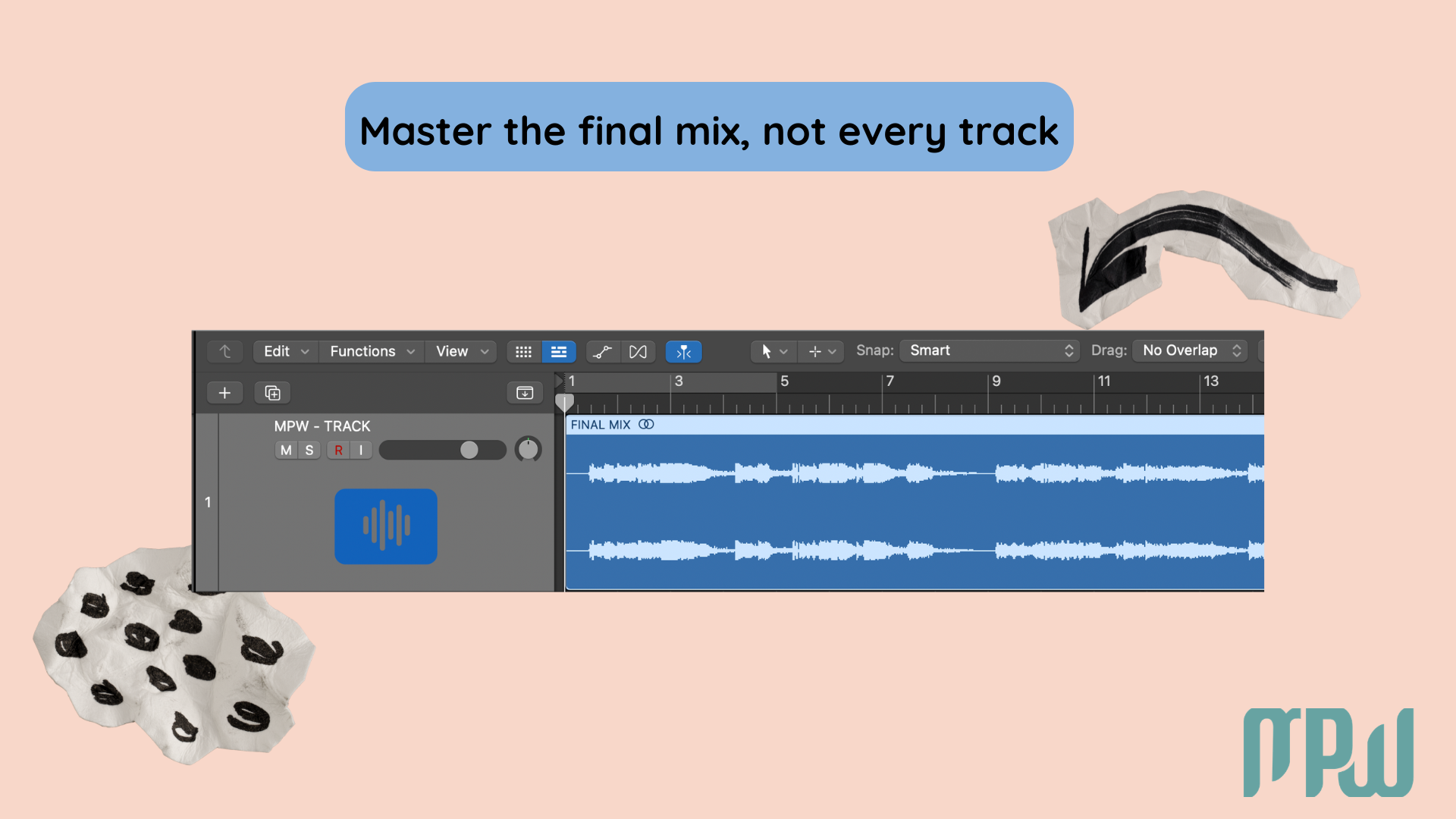
Mastering usually happens on one final stereo track, not across all your individual session channels.
A reference track is one of the most useful tools you can use when mastering.
Mastering Assistant is a great starting point, but your ears still make the final decision.
Mastering is about small, intentional improvements, not rescuing a mix that still needs major work.
Mastering in Logic Pro X: A Beginner-Friendly Guide to Better Sound
You’re finally there.
You’ve spent hours writing, recording, editing, and mixing. Your song is sounding genuinely good. You play it back and think, wait… this might actually be a hit. Then someone asks, “Cool, have you mastered it yet?”
Instant panic.
Suddenly, you’re hearing words like limiting, stereo width, and glue compression, and somehow mastering starts sounding far more intimidating than it needs to be.
The good news? Mastering in Logic Pro X does not have to be scary or overly technical.
If you’re a beginner, a self-producing artist, or someone trying to get better results from your home studio, Logic already gives you more than enough tools to start learning the process. In this guide, we’ll walk through what mastering actually is, how to prepare your mix, how to use Logic’s stock plugins, and how to use Mastering Assistant without feeling like you’ve handed your music over to a robot.
And let’s clear up one major beginner question straight away: mastering happens on one final stereo version of your song, not across all your separate instrument tracks. A CPU handshake deal.
What Is Mastering in Music Production?
Put simply, mastering is the final polish on your song before release.
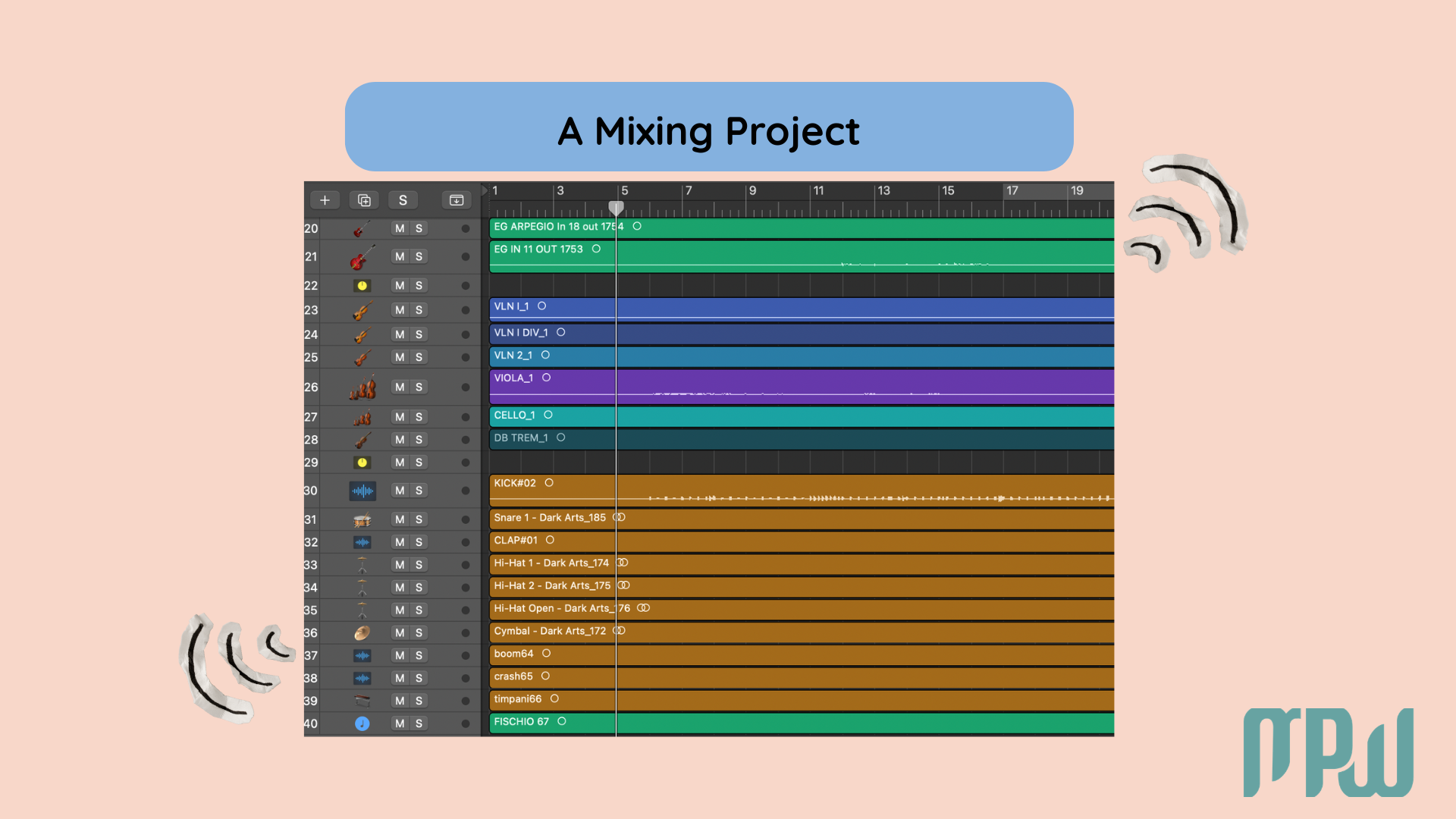
If mixing is the stage where you balance all your individual elements, vocals, drums, bass, synths, and effects, then mastering is the stage where you treat the finished stereo mix as one complete piece of audio.
Think of it like this: mixing is building the song so all the elements work together, while mastering is making sure the finished version feels balanced, polished, and consistent wherever people listen to it.
Mastering usually helps with:
overall tonal balance;
final loudness;
subtle control of dynamics;
translation across different playback systems.
“Translation” simply means your song still sounds good whether it's heard on studio monitors, headphones, laptop speakers, or in the car.
Super important thing: mastering cannot magically fix a bad mix.
If your vocals are too loud, your low end is muddy, or your hi-hats are painfully harsh, fix those issues in the mix first. Mastering is the final polish, not the emergency room.
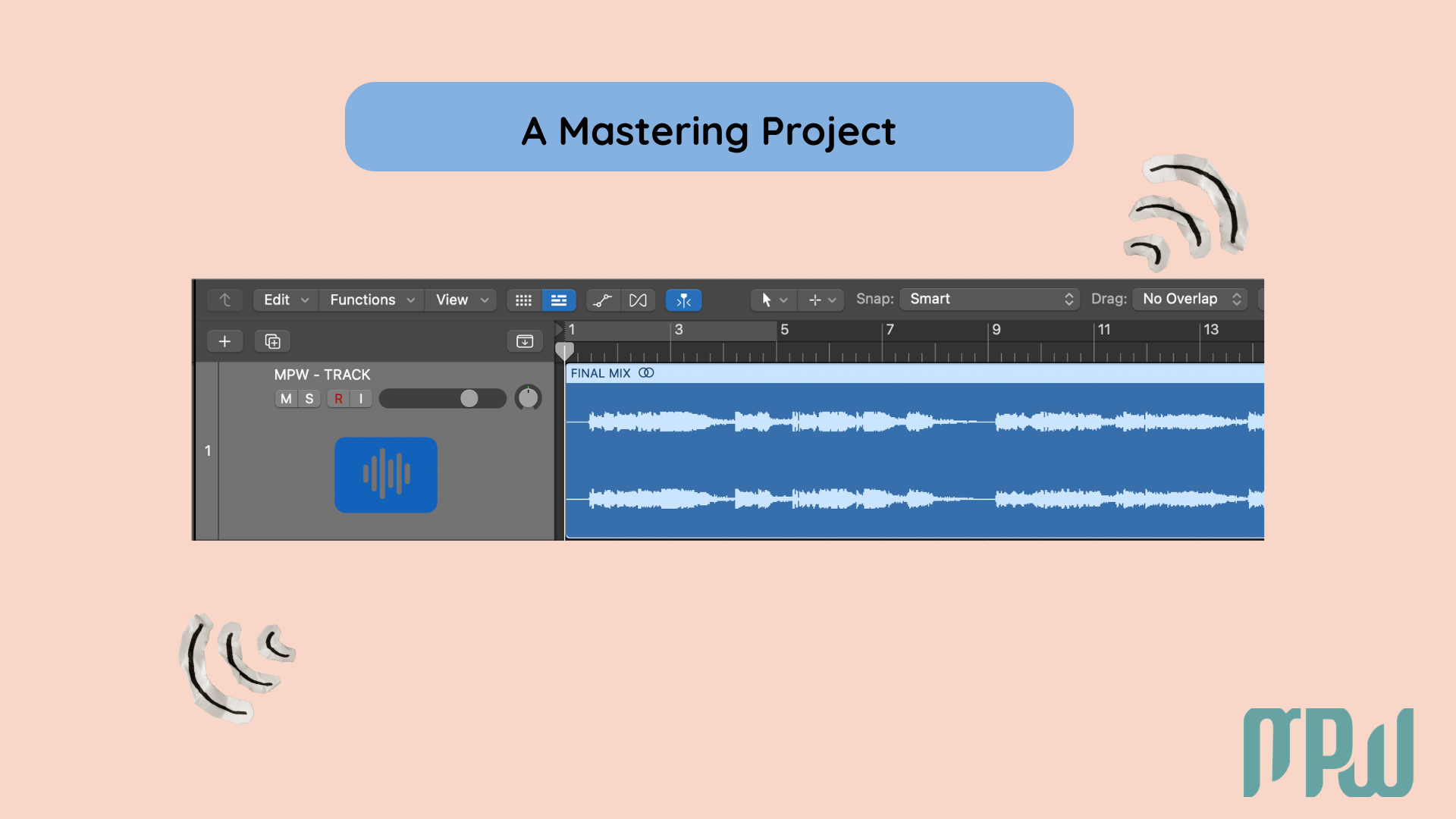
If you’re still getting your recording space and setup in place before diving into mastering, our “home recording studio setup guide” is a great place to start.
Is Logic Pro X Good for Mastering?
Yes, Logic Pro X is absolutely good for mastering, especially for beginners, independent artists, and anyone releasing their own music.
You do not need a giant plugin collection or expensive analog gear to learn the basics of mastering well. Logic comes with a solid set of built-in stock plugins that can help you shape tone, control dynamics, and raise loudness in a clean, practical way.
Logic is especially useful for:
learning the mastering process without buying extra plugins;
polishing demos and self-releases;
building your ears and learning what a balanced master sounds like;
creating a simple workflow that you can repeat from song to song.
So if you’ve been wondering whether Logic is “professional enough,” the answer is yes. What matters most is not having the fanciest tools, it’s learning to make small, smart, intentional decisions.
If you’re still getting comfortable in Logic Pro, our guide to recording vocals in Logic Pro X is a great place to start before diving into mastering.
Does Logic Pro Have a Mastering AI Assistant?
Yes, and it gives you more than one useful option.
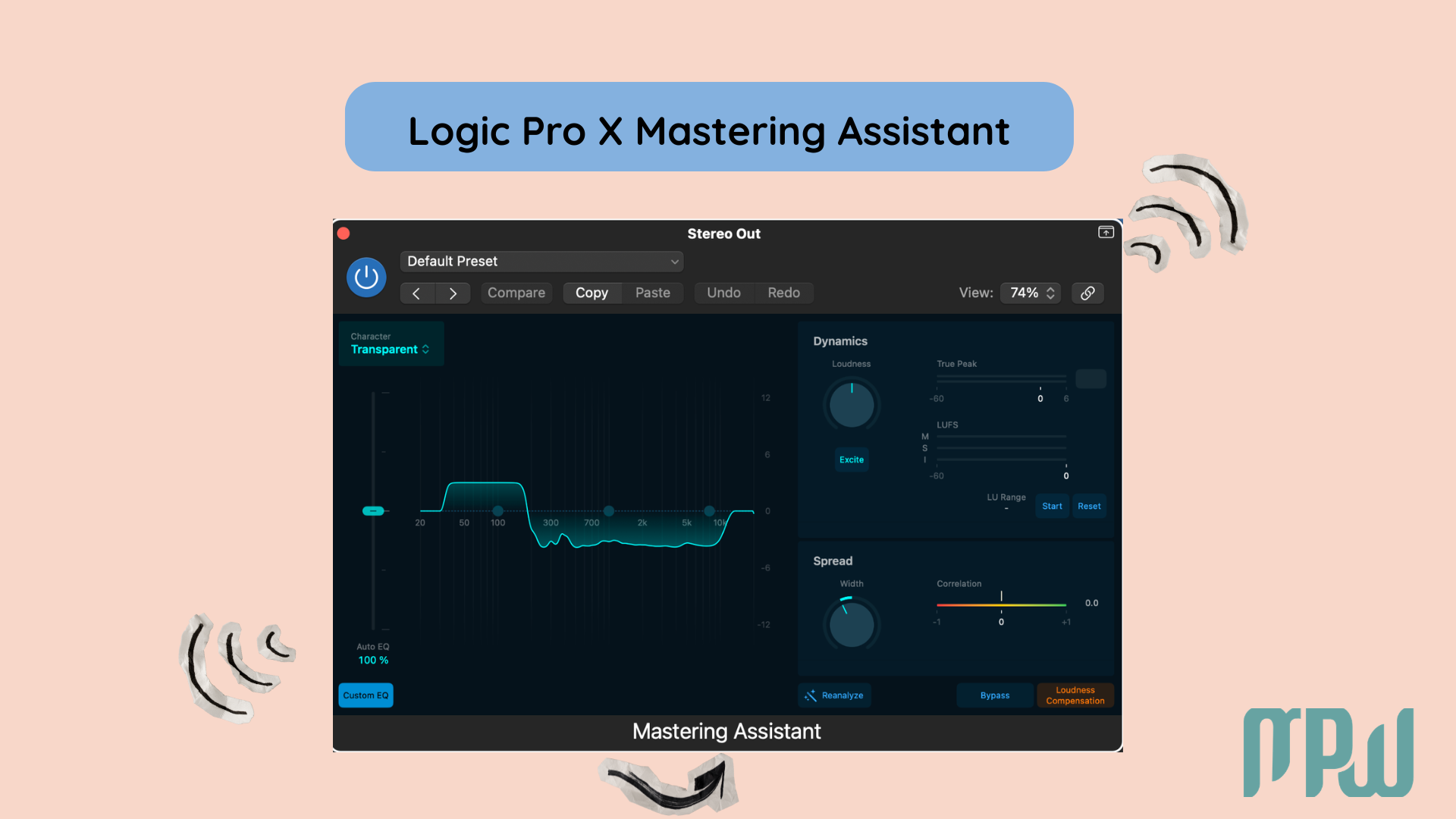
Recent versions of Logic Pro include Mastering Assistant, a built-in tool that analyzes your track and creates a polished starting point based on your audio. It’s a great option if you want help getting started quickly.
Logic also includes several stock plugins that work well in a beginner mastering chain, including:
Channel EQ;
Compressor;
Exciter;
Multipressor;
Adaptive Limiter;
Stereo tools like Directional Mixer.
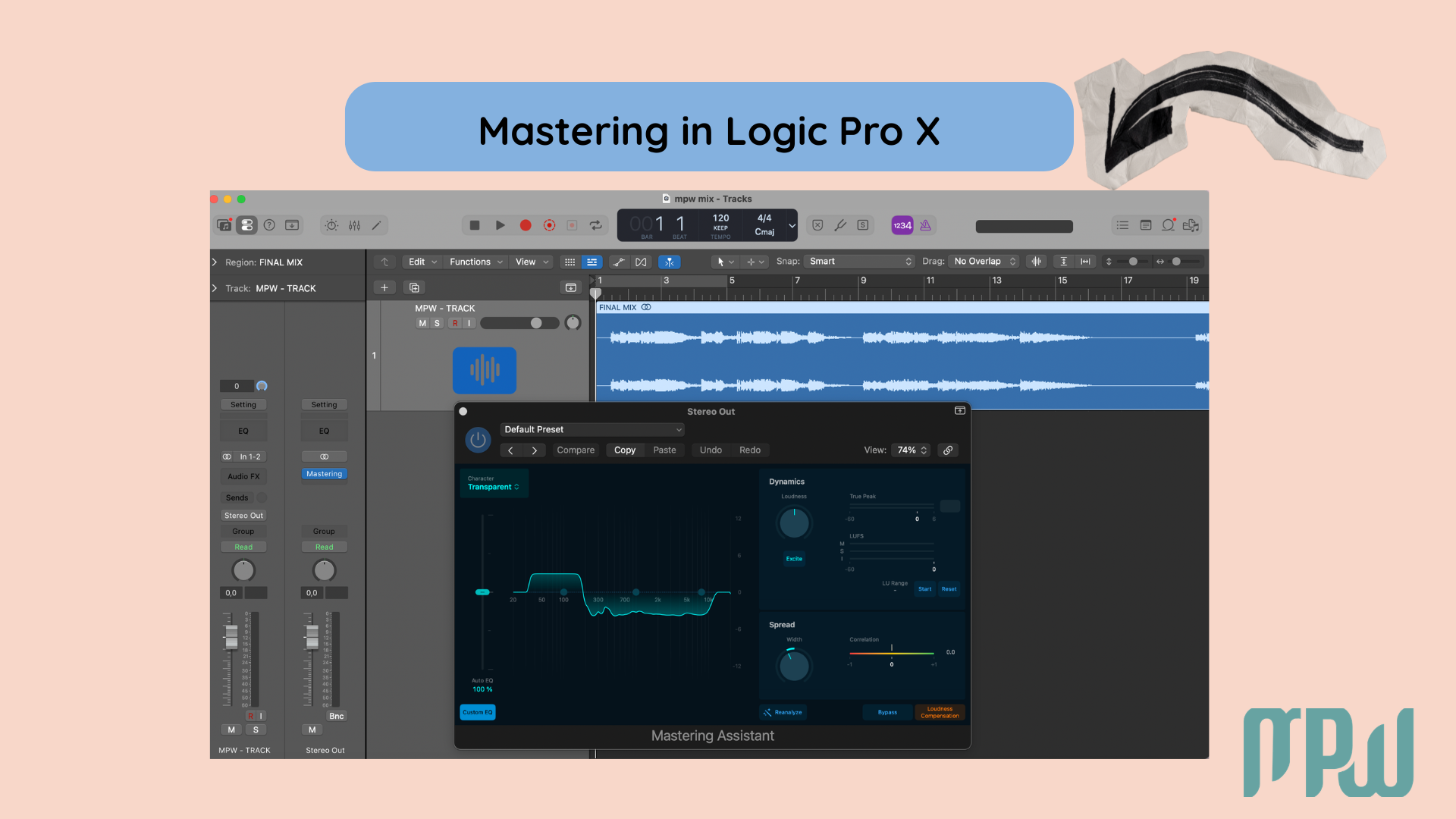
The most important thing to remember is this: Mastering Assistant can help you start, but your ears should still make the final call.
If you want to understand the feature in more detail, you can also check “Apple’s Mastering Assistant guide”.
Before You Master: Prep Your Mix First
Before you add a single mastering plugin, make sure your mix is in a healthy place.
Mastering works best when your song already feels balanced and musical. If the mix is fighting itself, the master will usually feel harder, not easier.
Check for clipping
Look at your Stereo Output. If the master is going into the red, pull your levels down before you start mastering.
Leave sensible headroom
A good beginner target is to leave your loudest peaks somewhere around -3 dB to -6 dB. This gives your mastering plugins room to work more cleanly.
Fix problems in the mix first
If the bass is too heavy, the vocal is buried, or the top end feels harsh, adjust those things in the mix rather than trying to force the master to solve them.
Choose your workflow
You can either:
master directly on your Stereo Output, or
bounce your mix to a single stereo file and master it in a fresh project
A fresh session often makes mastering easier because it prevents you from endlessly changing the mix while you’re mastering…yes, that’s what we do!
How to Do Mastering in Logic Pro X
Here’s a simple beginner-friendly mastering process using Logic’s stock tools.
Listen and Compare
Then import a reference track, a professionally released song with a similar vibe, energy, or genre. You’re not trying to copy it exactly. You’re using it as a point of comparison to keep your ears grounded.
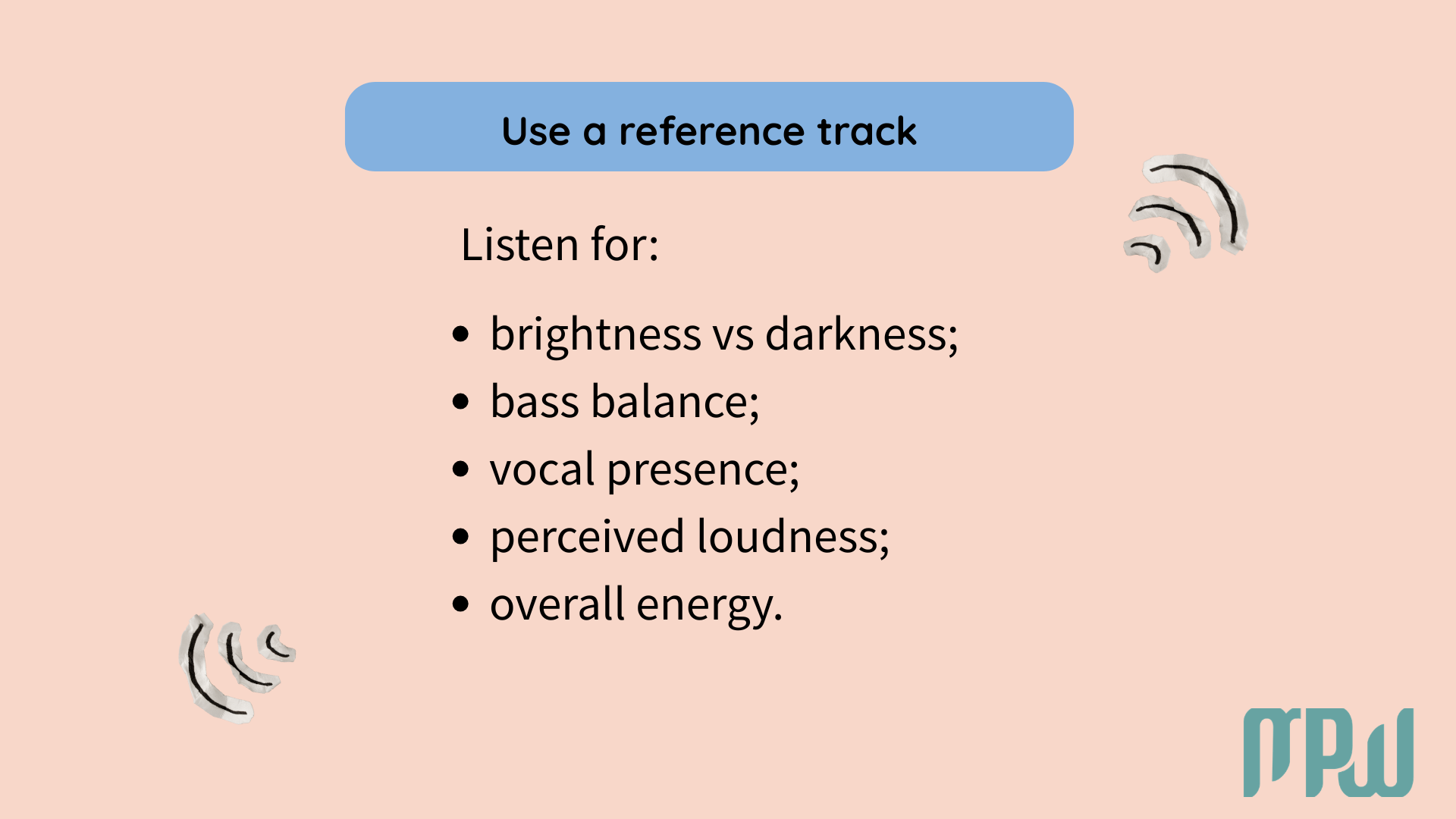
Listen for:
brightness vs darkness;
bass balance;
vocal presence;
perceived loudness;
overall energy.
A helpful trick is to level-match your song and the reference first, so your ears don’t automatically assume louder means better. Try to match the choruses or the loudest sections first.
Make Gentle EQ Moves
Once you’ve compared your song to the reference, use Channel EQ for small tonal adjustments.
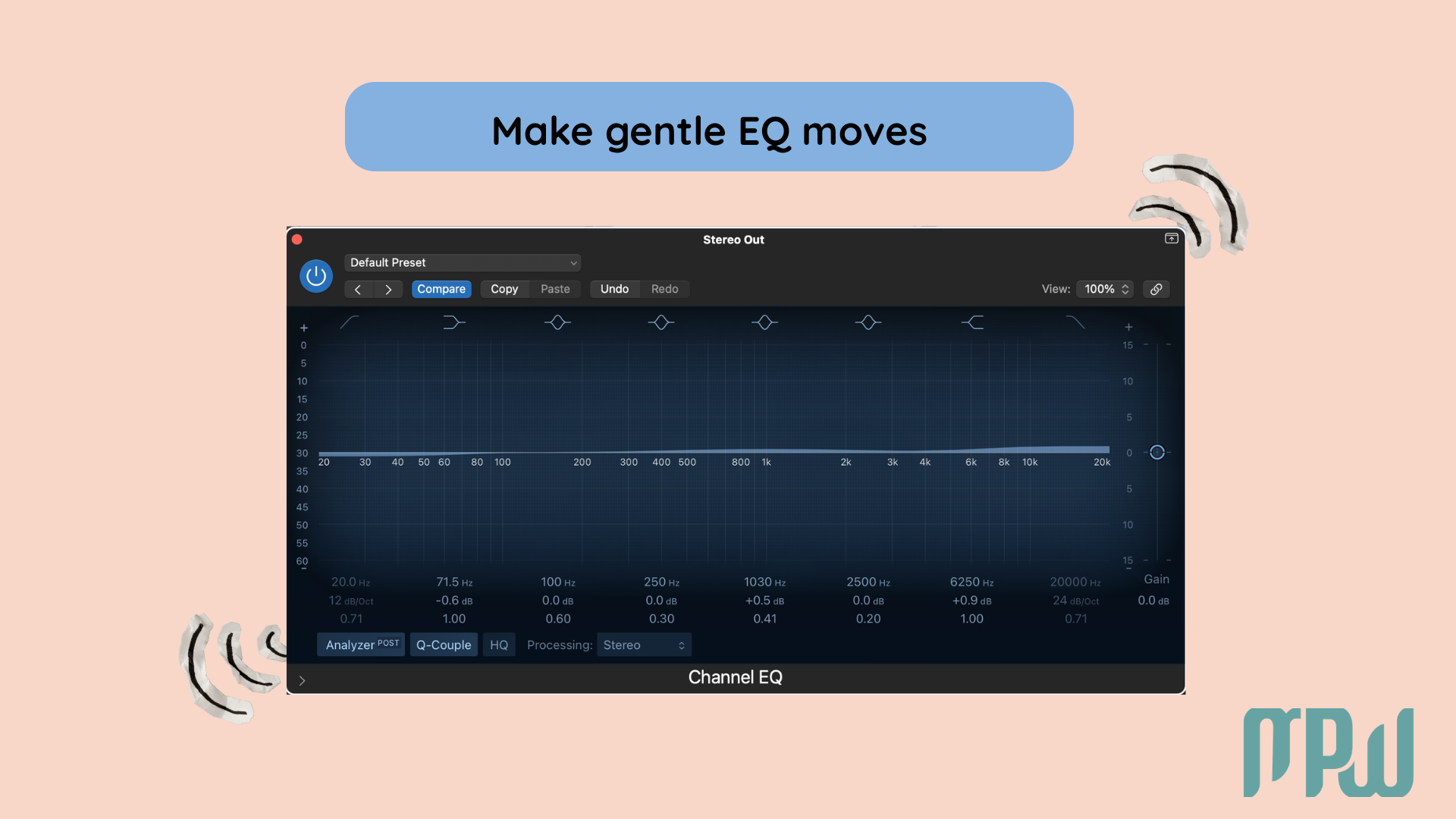
If the mix feels muddy, try a gentle cut in the low-mids. If it feels dull, you may want a very subtle lift in the top end. The keyword here is subtle.
You are not trying to redesign the mix. You are trying to improve overall balance.
Control Dynamics Lightly
If your track feels jumpy or uneven, light compression can help create a bit more cohesion.
Use a gentle approach:
low ratio, like 2:1
A small amount of gain reduction, so the track feels more controlled without sounding squashed
careful listening after every change
If the song starts sounding flat, dull, or smaller than before, you’ve probably gone too far.
Learn more in our beginner guide to compression.
If you want a more conversational beginner-friendly explanation, listen to our compression podcast episode 13. Equalizing the score.

Use Stereo Tools Carefully
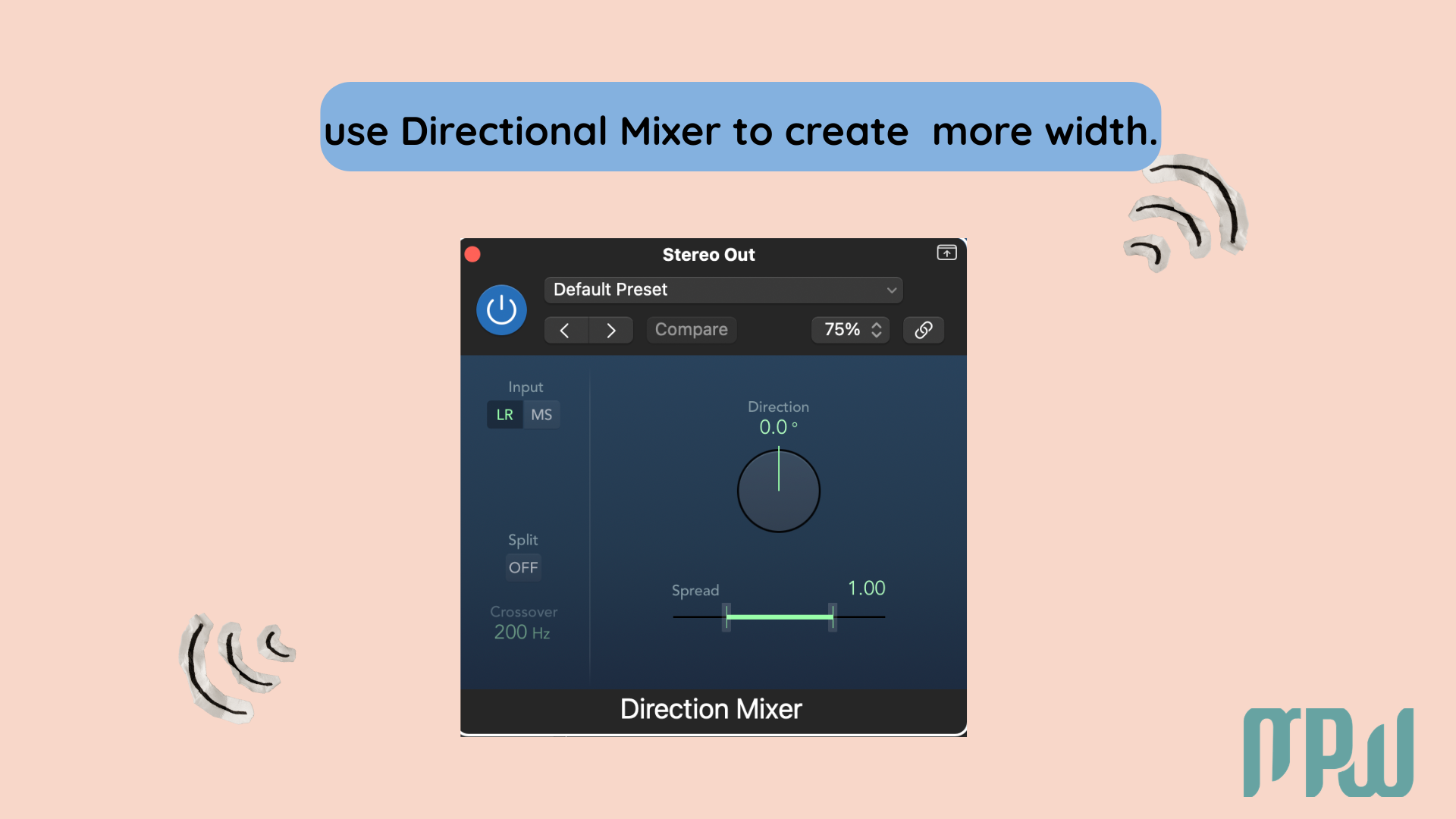
If your mix feels unusually narrow compared to your reference, you can use the Directional Mixer very gently to create a little more width.
But go carefully. A small amount of width can feel immersive and open. Too much can make the track sound hollow or strange when played back in mono.
Raise Loudness with a Limiter
This is where the Adaptive Limiter usually comes in at the end of the chain.
Bring the level up slowly and keep checking how the song feels. The goal is not to make your track as loud as possible. The goal is to make it feel confident, competitive, and musical without crushing its life.
If it starts sounding distorted, squashed, or tiring to listen to, back off.
Check the Result on Different Systems
Once you’ve made your processing decisions, export the track and listen in a few different places:
headphones;
laptop speakers;
studio monitors;
car speakers.
This is one of the best ways to test translation.
Take a Break and Listen Again
Please do not skip this step.
After a long session, your ears get tired. When that happens, it becomes much harder to judge brightness, low end, and loudness accurately.
Take a short break, come back later, and listen again with fresh ears.
How to Use Mastering Assistant in Logic Pro
If building a full mastering chain from scratch feels like a lot right now, Mastering Assistant is a very helpful starting point.
Where to find it
Insert it into your Stereo Output.
What it does
It analyzes your audio and creates a starting point based on your track’s tonal balance, loudness, and dynamics.
When it’s useful
It’s especially useful for:
beginners;
quick demos;
self-releases;
learning what a basic master can sound like.
What to remember
It is still just a starting point. Listen carefully and adjust where needed.
A Simple Logic Pro Mastering Chain for Beginners
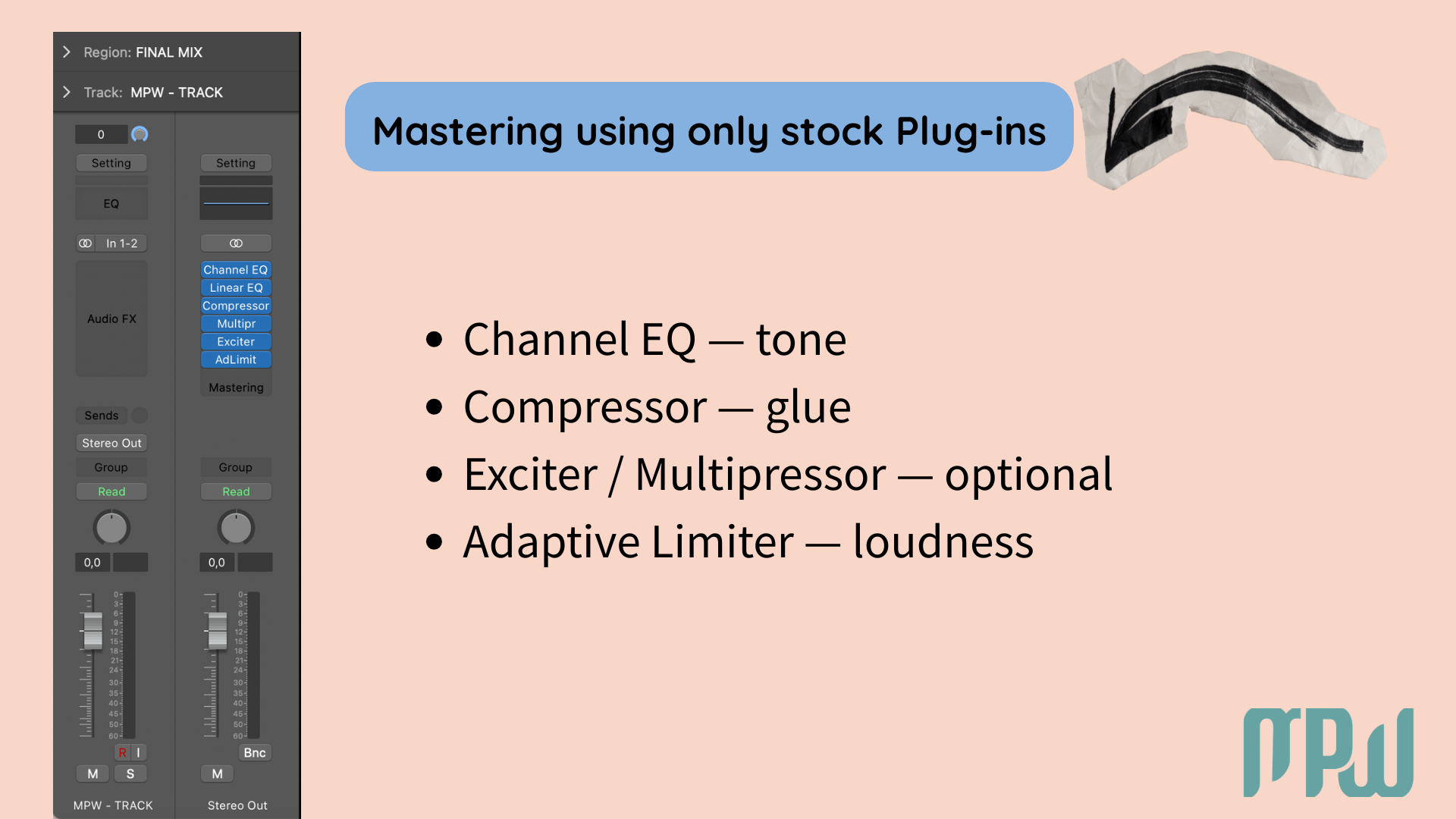
If you want to keep things simple, start with this:
Channel EQ, for gentle tonal shaping
Compressor, for light glue and cohesion
Exciter or Multipressor (optional), only if the track needs a little more sparkle or frequency-specific control
Adaptive Limiter, for final loudness
This is not a fixed formula for every song, but it’s a very solid beginner framework.
Important: the limiter goes last!
Common Mastering Mistakes to Avoid
Even good intentions can lead to overprocessing. Watch out for these common beginner mistakes:
trying to master a mix that still needs fixing;
over-compressing the song;
adding too much brightness;
pushing the limiter too hard;
skipping the reference track;
checking the master on only one playback system.
A good master usually sounds clear, balanced, and controlled.
Should You Use Mastering Presets in Logic Pro X?
Presets can be useful for learning, especially when you’re still figuring out what a mastering chain looks like.
They can help you:
understand plugin order;
hear how settings affect your track;
build your own starting points more quickly.
But presets are not one-size-fits-all. A chain that works for a dense electronic track may sound completely wrong on an intimate acoustic song.
When Should You Hire a Professional Mastering Engineer?
Logic Pro is more than capable of helping you create good masters. But there are still situations where hiring a professional mastering engineer makes sense.
You may want to work with a pro when:
The release is high-stakes;
You are too close to the project to judge it clearly;
Translation keeps falling apart;
You want a second opinion from experienced ears.
If you’re still learning, working on demos, or releasing music independently, mastering your own songs can be a powerful way to build confidence and develop your ears over time.
Final Mastering Checklist Before You Bounce
Before you export, run through this:
The Stereo Output is not clipping;
The tonal balance feels right compared to the reference;
The low ends feels controlled;
The vocals still feel clear;
The master sounds good on more than one system;
You took a break and listened again with fresh ears- don’t skip this.
If you can say yes to all of those, I think you made it!
Want to Start Producing But Not Sure Where to Start?
Final Thoughts
Mastering in Logic Pro X does not have to feel intimidating.
Logic gives you more than enough tools to learn the process and improve your results at home. Start simple. Keep your moves gentle. Compare against a reference. Trust your ears more than your urge to keep tweaking forever.
A clean, balanced, musical master is always a better goal than just chasing loudness.
You’ve got this.
FAQ
How do you master in Logic Pro X?
Start with a balanced mix that has around -3 dB to -6 dB of headroom. On your Stereo Output, use gentle processing like EQ, light compression, and Adaptive Limiter for final loudness. Always compare your work to a professional reference track as you work.
Is Logic Pro X good for mastering?
Yes. Logic Pro X is a great option for mastering, especially for beginners, independent artists, and self-producing musicians. Its stock plugins are more than capable of producing polished results.
Does Logic Pro have a mastering plugin?
Yes. Logic Pro includes Mastering Assistant, a built-in feature that helps you create a polished starting point for your track.
What is the best mastering plugin in Logic Pro?
It depends on the job. Adaptive Limiter is essential for final loudness, Channel EQ is great for tonal shaping, and Mastering Assistant is one of the easiest ways for beginners to get started.
Should I use Mastering Assistant in Logic Pro?
Yes, especially if you’re new to mastering. It can help you move faster and learn what a processed version of your song might need. Just make sure you still listen critically.
Can I master a song in Logic Pro without third-party plugins?
Absolutely. Logic Pro includes a strong set of built-in tools that are more than enough for learning and creating polished masters at home.