How to Sample in Logic Pro X with Quick Sampler (Beginner Guide)
Table of Contents
Does Logic Pro X Have a Sampler?
Is Logic Pro X Good for Sampling?
When to Use Sampler or Sample Alchemy Instead
Key Takeaways
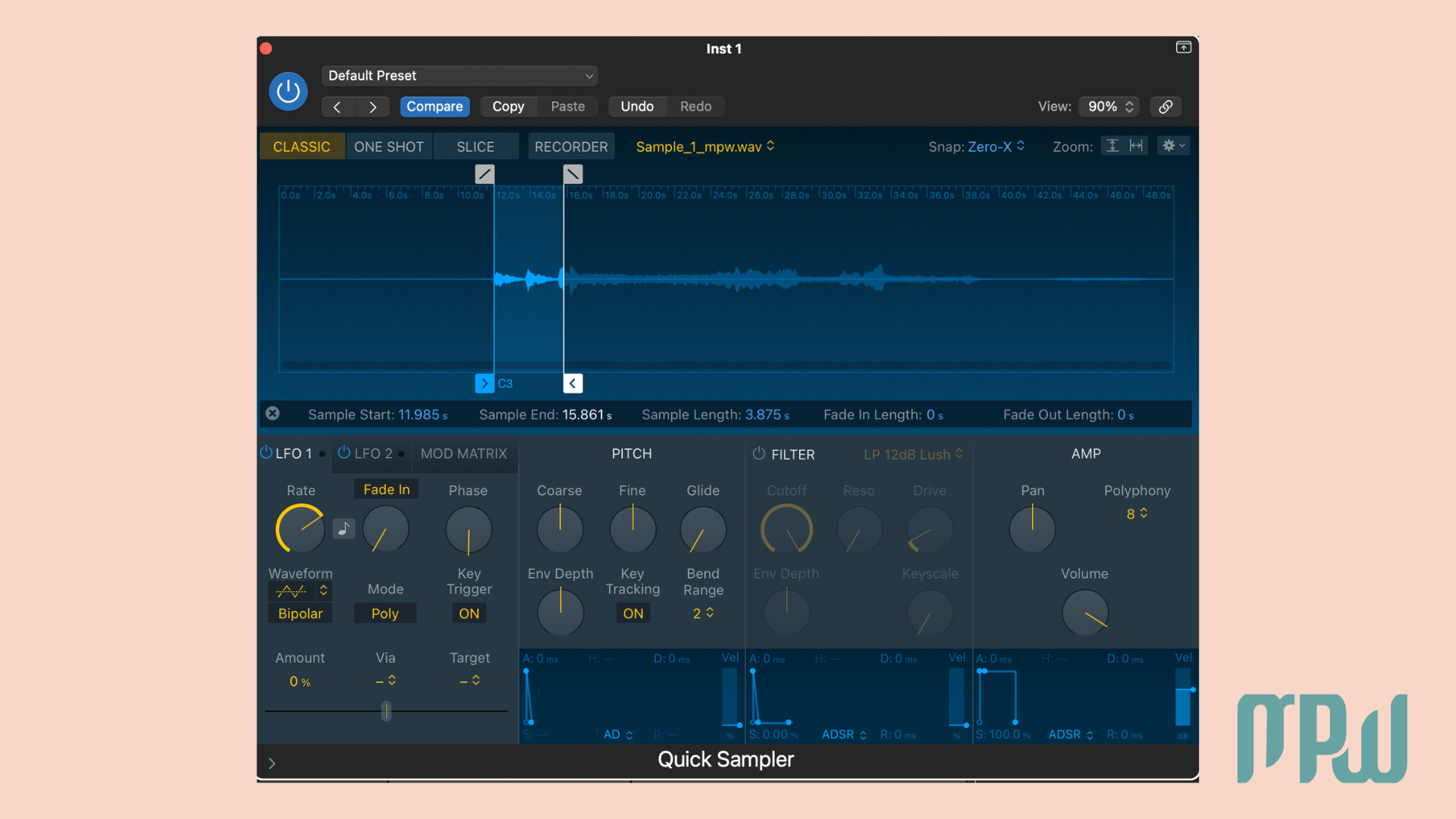
Quick Sampler is the absolute easiest way to sample in Logic Pro X.
Logic Pro X includes three built-in sampling tools: Quick Sampler, Sampler, and Sample Alchemy.
For most beginners, Quick Sampler is the best sampler in Logic Pro X because it is fast, simple, and already built in.
Sampler is best for advanced multi-sample instruments.
Sample Alchemy is ideal for textures and creative sound design.
Back in the day, while I was studying music for film and visual media, I had to build my first game audio portfolio. I desperately needed a simple character walking sound. So, I grabbed a mic, recorded 40 clips of my boots crunching on gravel in my driveway, and dragged every single thud onto the Logic timeline.
It technically worked, but it was slow, messy, and a fantastic way to lose my mind.
Then Maestro De Donatis swooped in to save me from myself and asked, Why aren’t you using a sampler?
At the time, I thought samplers were only for beat-making, boom-bap, or Daft Punk remixes. But he showed me how to load all of those sounds into one instrument and literally play them back live from a MIDI keyboard instead. That was the moment I understood how powerful sampling really is.
If you’ve been wondering how to sample in Logic Pro, the good news is that Logic already gives you everything you need right out of the box. And for most people, the absolute queen of these tools is Quick Sampler. In this guide, I’ll show you the fastest way to sample in Logic Pro X, when to use the other built-in options, and how to avoid common beginner headaches.
What You Need Before Sampling
Before you start, make sure your audio file is actually easy to work with.
WAV or AIFF is your best bet. MP3 can technically work, but once you start stretching or pitching a low-quality file, it will usually sound rougher and less clean.
If you are sampling a loop, checking the original BPM first will make it much easier to line everything up with your project.
Sampling gets much more fun when you stop fighting the audio file. A little prep saves a lot of editing later.
Does Logic Pro X Have a Sampler?
Yes, Logic Pro X includes three built-in sampling tools: Quick Sampler, Sampler, and Sample Alchemy.
Quick Sampler is best for fast, drag-and-drop sampling with a single audio file.
Sampler is designed for more advanced multi-sample instruments, letting you map multiple sounds across the keyboard and add features like velocity layers.
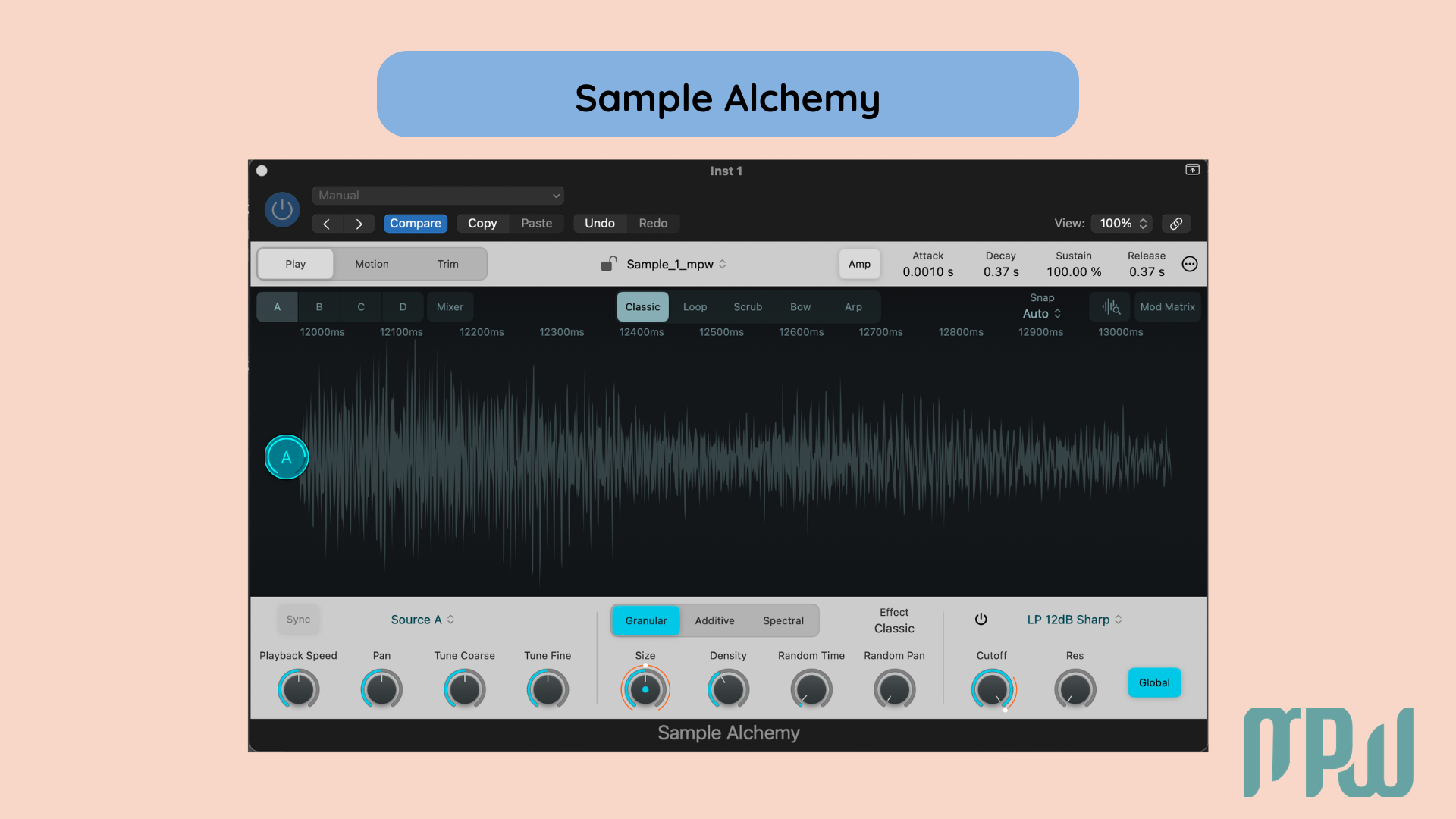
Sample Alchemy is best for creative sound design, especially if you want to build textures, ambient pads, or more unusual sonic transformations.
So if you are wondering whether Logic Pro X has a sampler, the answer is yes, and it gives you a few different options depending on how you want to work.
Use Quick Sampler for:
vocal chops
808s drum hits
loop slicing
sound design from everyday recordings
If you want a quick overview of the three options:
Quick Sampler is best for fast, drag-and-drop sampling for a single audio file.
Sampler is designed for complex multi-sample instruments, letting you map multiple sounds across the keyboard with features like velocity layers.
Sample Alchemy is focused on creating textured, evolving sounds and is best for ambient pads or unique sonic transformations.
So, if you're asking whether Logic Pro X has a sampler, the answer is yes. It provides three samplers, each suited to different workflows: use Quick Sampler for straightforward tasks, Sampler for complex instruments, and Sample Alchemy for creative sound textures.

Is Logic Pro X Good for Sampling?
Yes, absolutely.
Logic Pro X is great for sampling because it already includes powerful native tools, so you do not need expensive third-party plugins to get started. That makes it a great option whether you are just beginning or already producing more confidently.
What makes it especially useful is that you can start with Quick Sampler for the fastest workflow, then move into Sampler or Sample Alchemy as your ideas get more advanced.
(And if you want to explore the deeper features later, you can always bookmark the official Apple Sampler documentation.)
How to Sample in Logic Pro
Turn any sound into a playable instrument using this fast, beginner-friendly method.
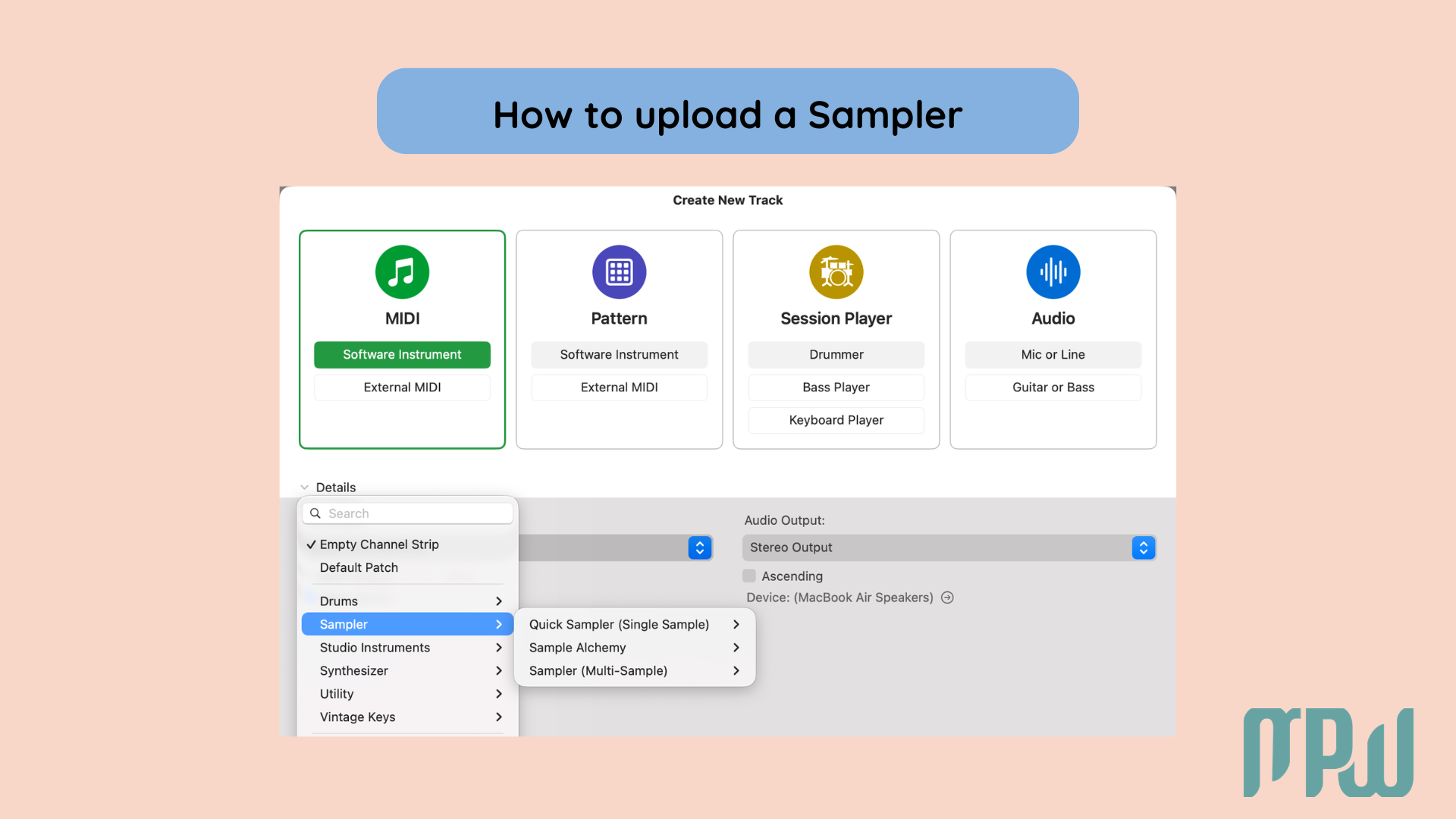
Step 1: Create a Software Instrument track
Open a new Software Instrument track in your Logic Pro X session to begin.
Step 2: Load Quick Sampler
Click the instrument slot on your channel strip and select Quick Sampler.
Step 3: Drag in your audio file
Drop your sample directly into the Quick Sampler window.
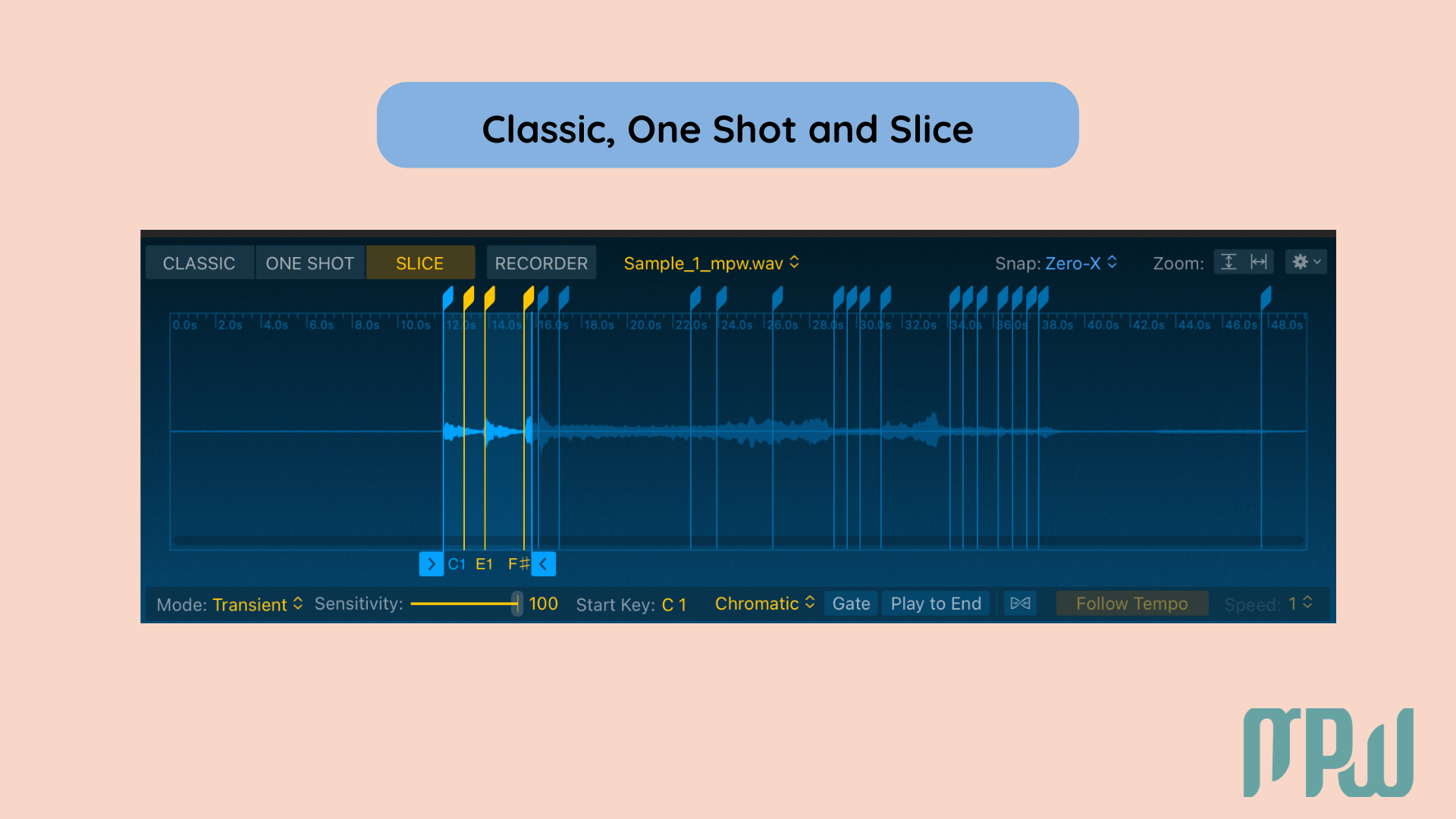
Step 4: Choose a playback mode
Logic will usually give you three main options:
One Shot: Plays the full sound from start to finish. Great for drum hits, impacts, risers, and FX.
Classic: Best for pitching a single sample across the keyboard, like an 808, bass sound, or vocal chop.
Slice: Best for chopping loops, drum breaks, or longer vocal phrases into separate playable pieces.
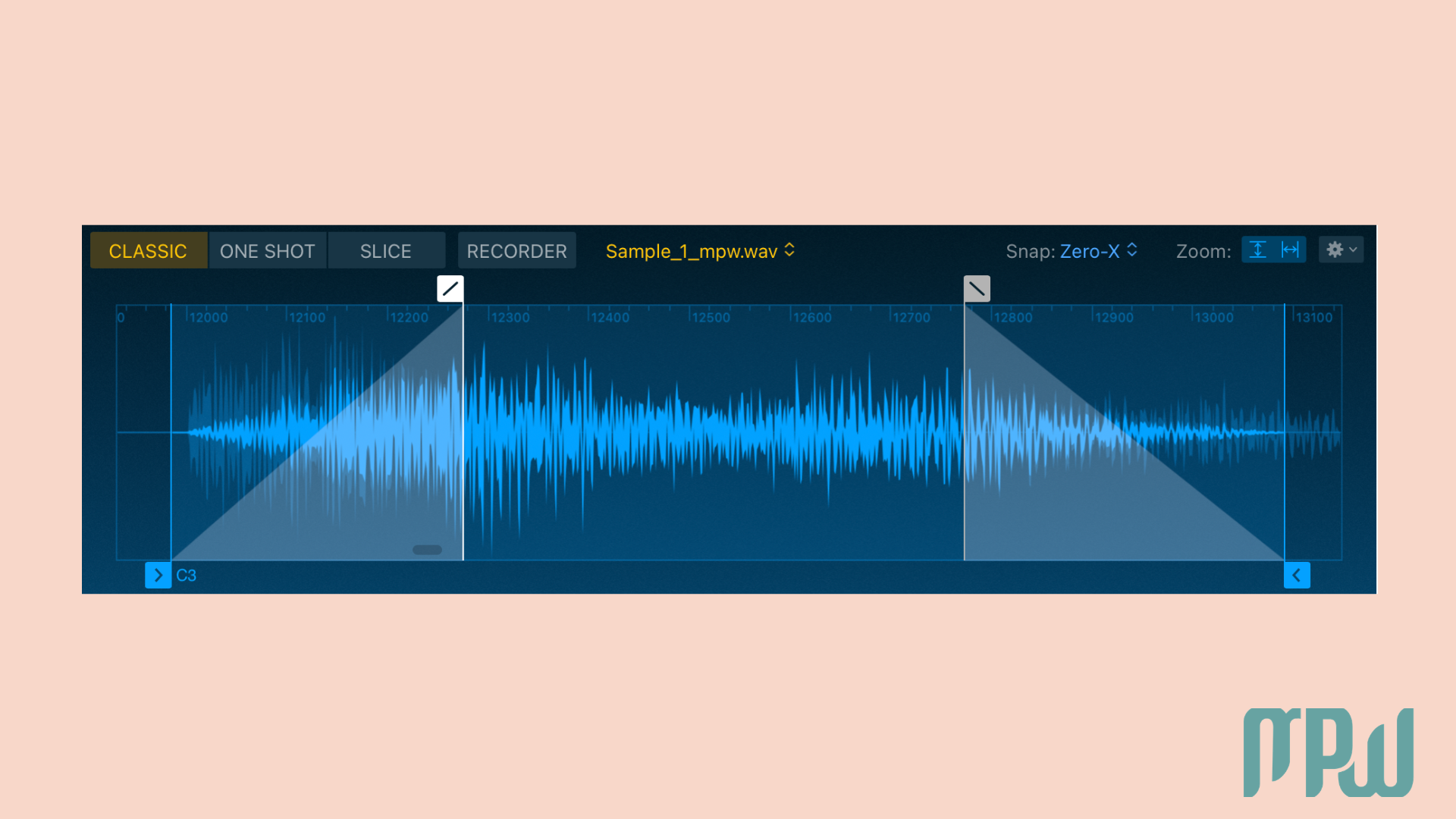
Step 5: Adjust the start and end points
Adjust the markers to trim your sample for clean playback without silence or clicks.
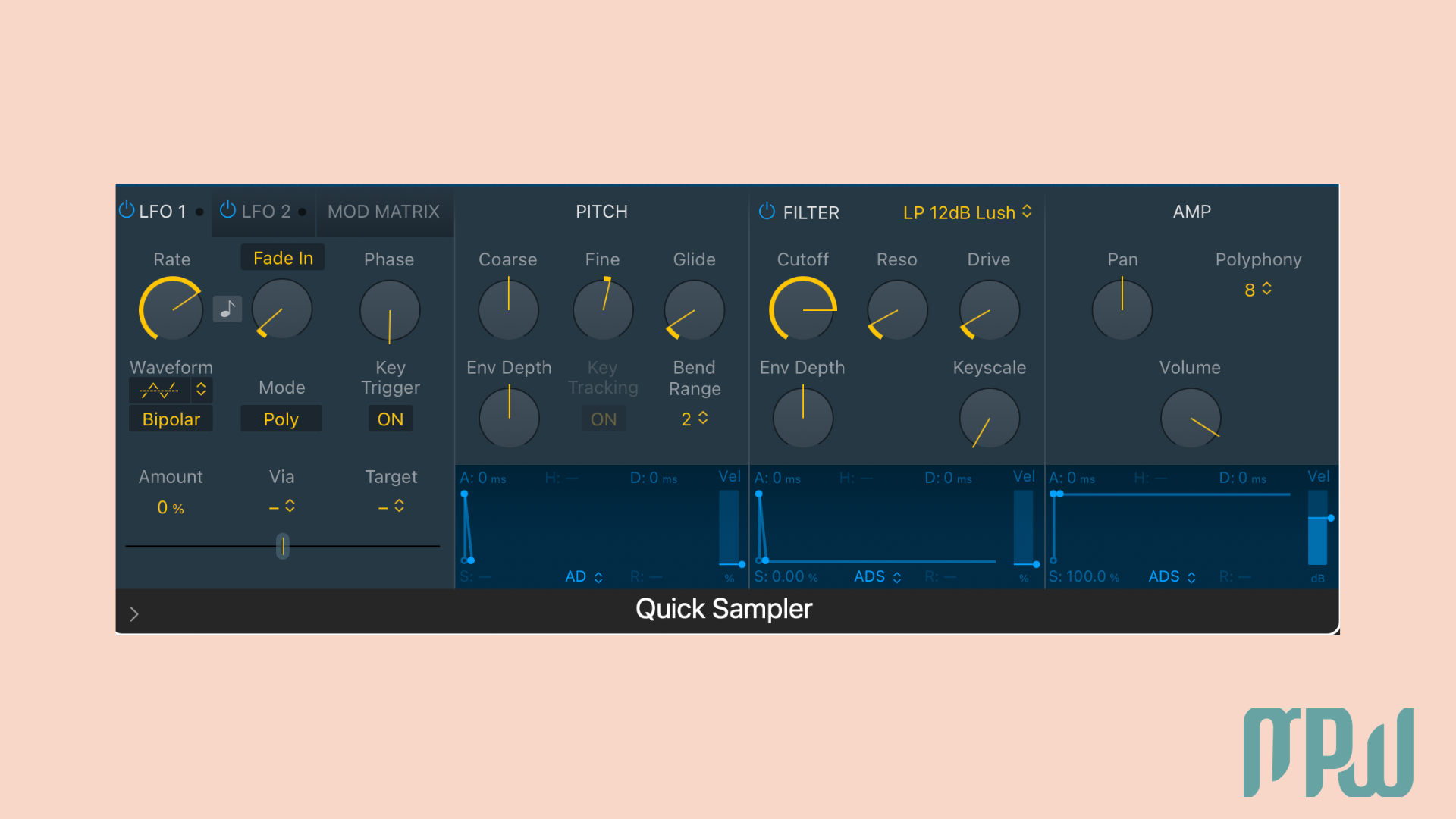
Step 6: Shape your sound
Once your sample is loaded, you can go a little further by shaping how it behaves.
Use the filter to make the sound darker or softer.
Use the amp envelope to control how quickly the sample starts and stops.
Use the LFO if you want to add movement or modulation.
You do not need to master all of this straight away, but even a few small tweaks can help a sample feel much more musical.
Step 7: Play or record with MIDI
Hit record! Your raw audio file is now a completely custom, playable instrument.
(If you are completely new to this. you can read our guide on What is a MIDI controller is before getting started).
When to Use Sampler or Sample Alchemy Instead
Quick Sampler is the main tool most people should start with, but the other two still matter.
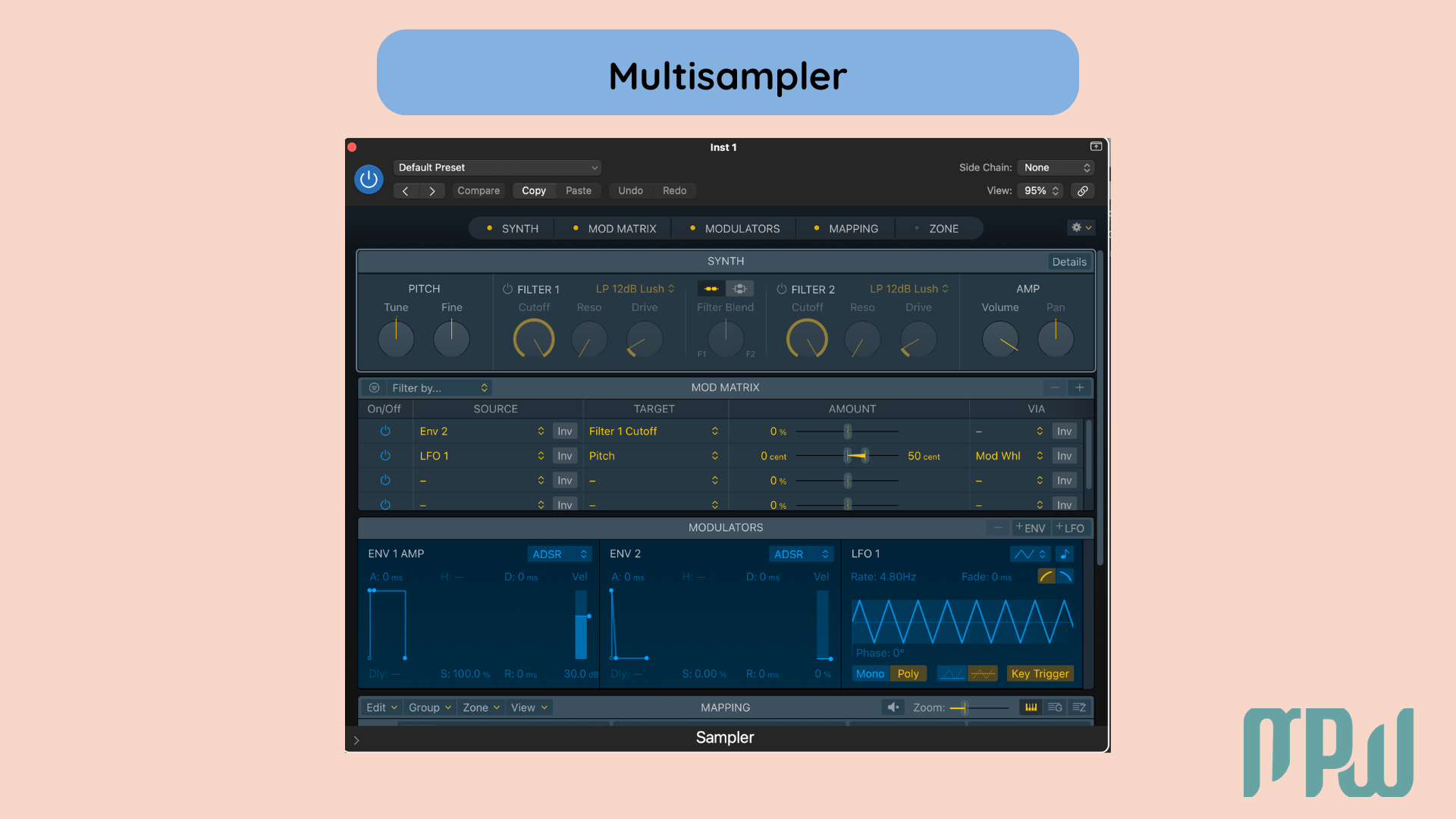
Use Sampler if:
You want to map multiple recordings across the keyboard.
You want velocity layers.
You want to build a more realistic custom instrument.
Use Sample Alchemy if:
You want lush, evolving textures.
You want ambient pads.
You want to transform a tiny sound into something cinematic or unusual.
You do not need to master all three at once. Start with Quick Sampler first and go from there.
Common Problems When Sampling in Logic Pro
If sampling feels weird at first, that does not mean you are doing it wrong. Usually, it is just one small setting getting in the way.
A click at the start or end of a sample usually means the audio is being cut too abruptly. Try adding a tiny fade-in or fade-out, or move the start and end points slightly to make it play cleanly.
If your sample feels out of time, check the original BPM. Sampling gets much easier when your source audio is already reasonably close to your project tempo.
If the sample sounds off-pitch, make sure the root key is set correctly. That tells Logic what note the original sample is in, so it can transpose it properly.
And if playing the sample feels laggy, head to Logic Pro > Settings > Audio and lower your buffer size. That usually makes live playing feel much more responsive.
Want to Start Producing But Not Sure Where to Start?
FAQ
How do I sample in Logic Pro?
The easiest way to sample in Logic Pro is to load Quick Sampler on a Software Instrument track, drag in your audio file, choose a playback mode, and play it with your MIDI keyboard.
Is Logic Pro X good for sampling?
Yes. Logic Pro X is great for sampling because it includes Quick Sampler, Sampler, and Sample Alchemy as built-in tools, so you can get started without needing extra plugins.
Does Logic Pro X have a Sampler?
Yes. Logic Pro X includes Quick Sampler for fast drag-and-drop sampling, Sampler for more advanced virtual instruments, and Sample Alchemy for creative sound design.
What is the best sampler plugin for Logic Pro X?
For most beginners, Quick Sampler is the best choice because it is simple, powerful, and already included in Logic Pro X.
Final Thoughts: Simplify and Release
Sampling in Logic Pro X does not need to feel complicated.
If you are just getting started, begin with Quick Sampler. It is the fastest way to turn any audio file into something playable, creative, and useful in your track.
Once that feels easy, you can explore Sampler for deeper instrument building and Sample Alchemy for more experimental textures. But for most of us, Quick Sampler is where the fun really starts.
Want to learn music production step by step? Grab a FREE ticket to our Intro to Music Production Masterclass.
Want more music production tips, tutorials, and updates from MPW? Subscribe to our newsletter so you never miss a new article, podcast episode, or learning resource.