What Is Gain in Audio? Gain Staging Explained for Beginners
Table of Contents
What Is Gain Staging, Actually?
Is Gain Staging Just Leveling?
A Simple Gain Staging Workflow for Beginners
Key Takeaways
Gain in audio controls how strong a signal is before it moves to the next part of the chain.
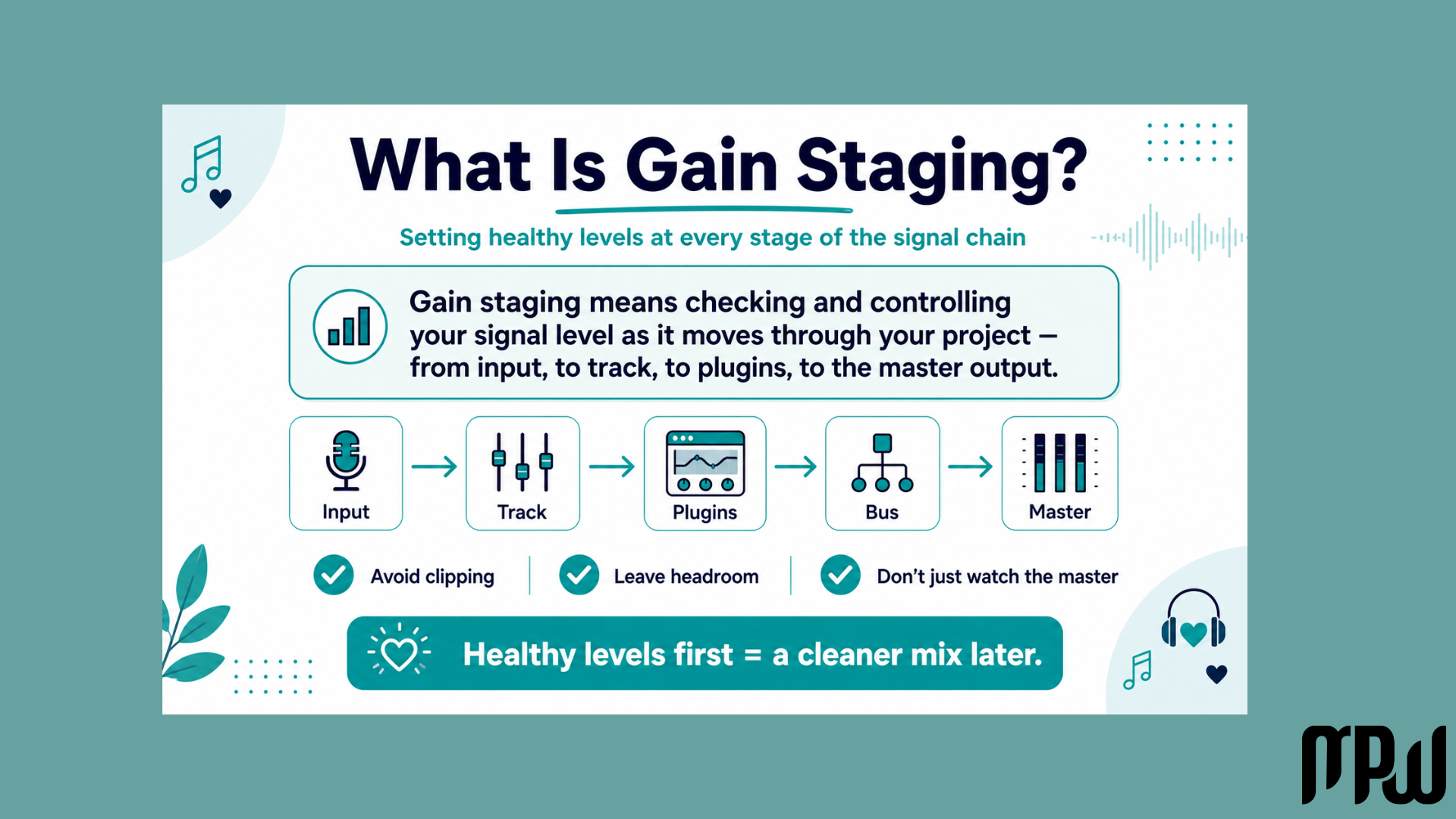
Gain staging means checking the level at each stage, instead of only looking at the final master volume.
Gain staging is not the same as leveling. Leveling is about the balance of the mix; gain staging is about healthy signal flow.
Avoid clipping and do not push everything into red if you want your plugins to behave nicely.
A practical beginner target is to keep individual tracks peaking around -12 dBFS to -6 dBFS.
Headroom is the space left before clipping, and it helps your mix breathe.
Use a gain or utility plugin to easily adjust the level of your tracks before mixing.
Always ask: “Does this sound better, or is it just louder?”
If you’ve ever fallen down a late-night YouTube rabbit hole of mixing tutorials and emerged feeling like you need an advanced degree in physics just to mix a kick drum, take a deep breath.
Gain staging is often taught as if there is one mathematically perfect number you absolutely must hit on every single track, or else the audio police will kick down your studio door and confiscate your laptop.
But it doesn’t have to be that way.
Let’s simplify things.
One of the first things to understand when approaching mixing is gain: how strong your audio signal is before it moves through the next part of your session.
Gain staging is simply about keeping your audio levels healthy, avoiding nasty digital distortion, and letting your creativity flow.
Let’s ditch the confusing tech-speak and break down how to actually handle this in the real world without breaking a sweat.
What Is Gain in Audio?
In audio, gain is the amount of level added to a signal before it moves to the next stage.
That might be:
the gain on your audio interface;
the output volume inside a synth or sampler;
the gain before a compressor;
the input level of a plugin;
the gain going into a bus or master channel.
A simple way to think about it is this:
Gain controls how strong the signal is before it enters something. Volume usually controls how loud it feels when it comes out.
For example, if you turn up the gain before a compressor, the compressor will react more strongly because the signal is hitting it harder.
If you turn up the channel fader, you are usually just changing how loud that track sits in the mix.
This is why gain matters. It does not only change loudness, it can also change how your plugins behave.
What Is Gain Staging, Actually?
At its core, gain staging is the process of ensuring your audio is neither too quiet nor too loud, and that it doesn't clip as it moves through your project.
Think of your audio’s journey like a relay race.
A vocal signal, for example, goes from your microphone into your audio interface, into your DAW, through plugins like EQ and compression, then to the bus, and finally to the master output.
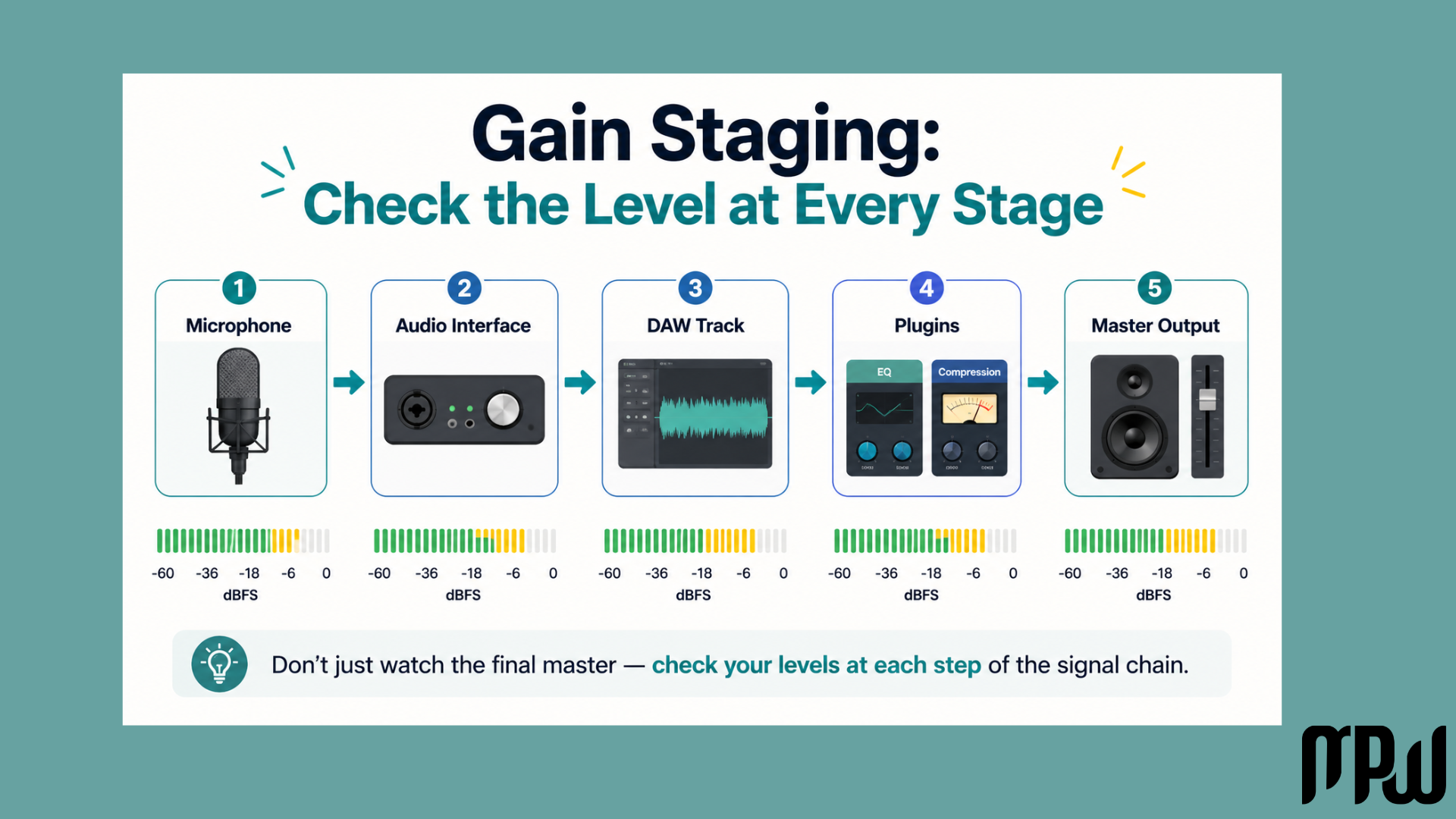
Gain staging means checking the level at each of those stages, instead of only looking at the final master volume at the very end.
That’s why it’s called gain staging: because your audio passes through different “stages” of gain.
Each stage can make the signal louder or quieter, and your job is simply to keep the signal controlled as it travels through the mix.
Is Gain Staging Just Leveling?
Not exactly.
Leveling is usually about balancing the levels of the tracks in your mix.
For example: turning the vocals up, bringing the drums down, or making the bass sit better with the kick.
Gain staging is about managing the signal level throughout the whole chain.
So yes, they are related, but they are not the same thing.
Leveling asks: “How loud should this track be in the mix?”
This is where you are thinking about the emotional and musical balance of the song.
Is the vocal loud enough?
Is the snare too aggressive?
Is the bass supporting the track without swallowing everything?
That is leveling.
Gain staging asks: “Is this signal hitting the next stage at a healthy level?”
That “next stage” could be a plugin, a bus, a channel strip, or your stereo output.
Gain staging is less about the final balance and more about keeping your signal flow clean and controlled before the mix gets messy.
Why Does Gain Staging Matter?
Managing your levels as you go is one of the easiest ways to make your mix sound cleaner.
Here is what happens when things get out of balance.
If the levels are too hot
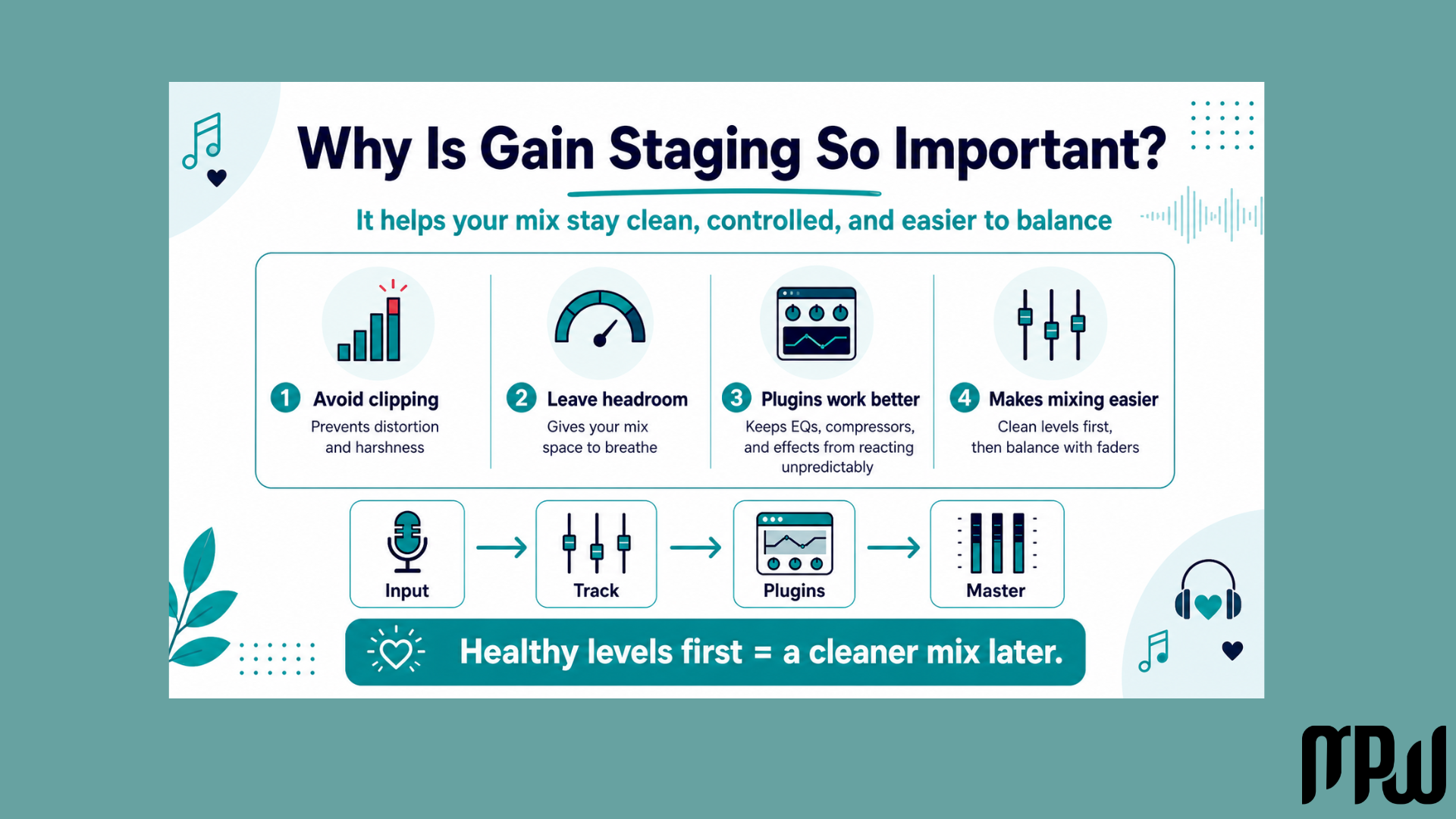
You can get clipping, distortion, harshness, or your plugins might start reacting in a weird way that we definitely don’t want to experience.
This can make your mix sound messy, crowded, or unpleasant, especially if the stereo output is constantly at the red line.
If the levels are too low
You might struggle to hear things clearly, and you may end up pushing everything too much later in the mix.
When you get it right, good gain staging gives your mix space to breathe.
This leftover space is called headroom, and it allows the panning, stereo field, reverb, and overall mix to feel more open and controlled.
To learn more about preparing your track for release, check out our guide to Mastering in Logic Pro X for Beginners
Another reason gain staging matters is that louder often feels better.
You might add an EQ, compressor, or saturator and think:
“Wow, this sounds amazing!”
But sometimes it only sounds better because it got louder.
Gain staging helps you ask:
“Did this actually improve the sound, or did it just make it louder?”
That one question can save your mix.
The “Perfect Number” Myth
Ah, yes. The rule that makes everyone want to quit producing and take up knitting instead: the famous -18 dBFS rule.
Is it useful to know? Yes, absolutely.
Is it a strict, unbreakable law you must lose sleep over? Hard no.
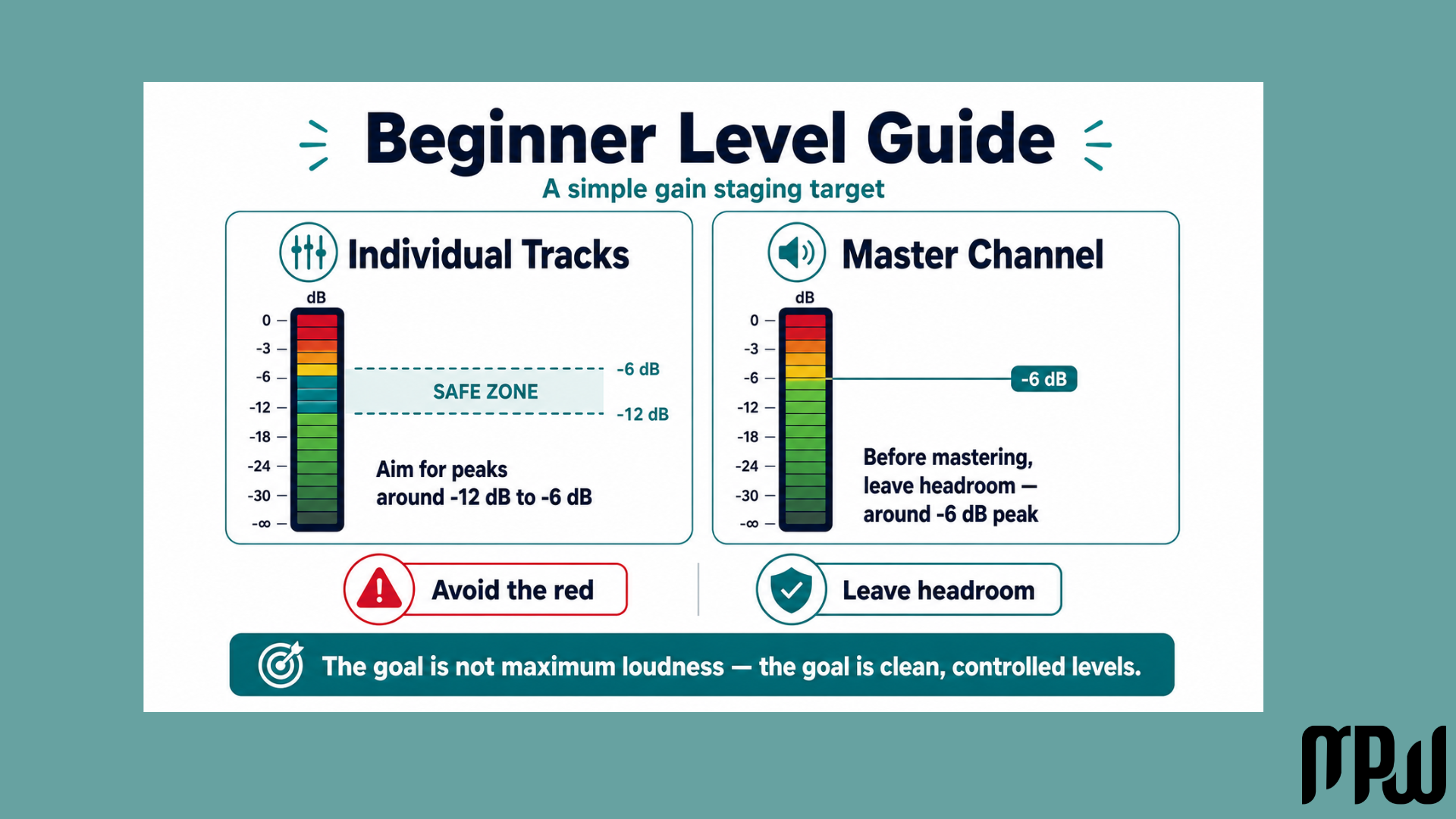
You may hear that tracks should sit around -18 dBFS on average, especially when using analog-style plugins. This is because many analog-modeled plugins are designed to respond nicely around that level.
But in real-world mixing, you do not need to obsessively force every track to hit one exact number.
A practical beginner rule of thumb is to keep your individual tracks peaking somewhere around -12 dBFS to -6 dBFS, rather than pushing them close to zero.
But an even easier rule?
Do not let things clip. :)
Green is usually safe. Yellow can be okay depending on the DAW and meter, but red is where you need to pay attention.
So don’t panic if a meter touches yellow. The real danger is constant clipping, especially on your stereo output or inside plugins that are being hit too hard.
We are not aiming for mathematical perfection.
We are aiming for a healthy, controlled signal.
A Simple Gain Staging Workflow for Beginners
Here is a stress-free workflow.
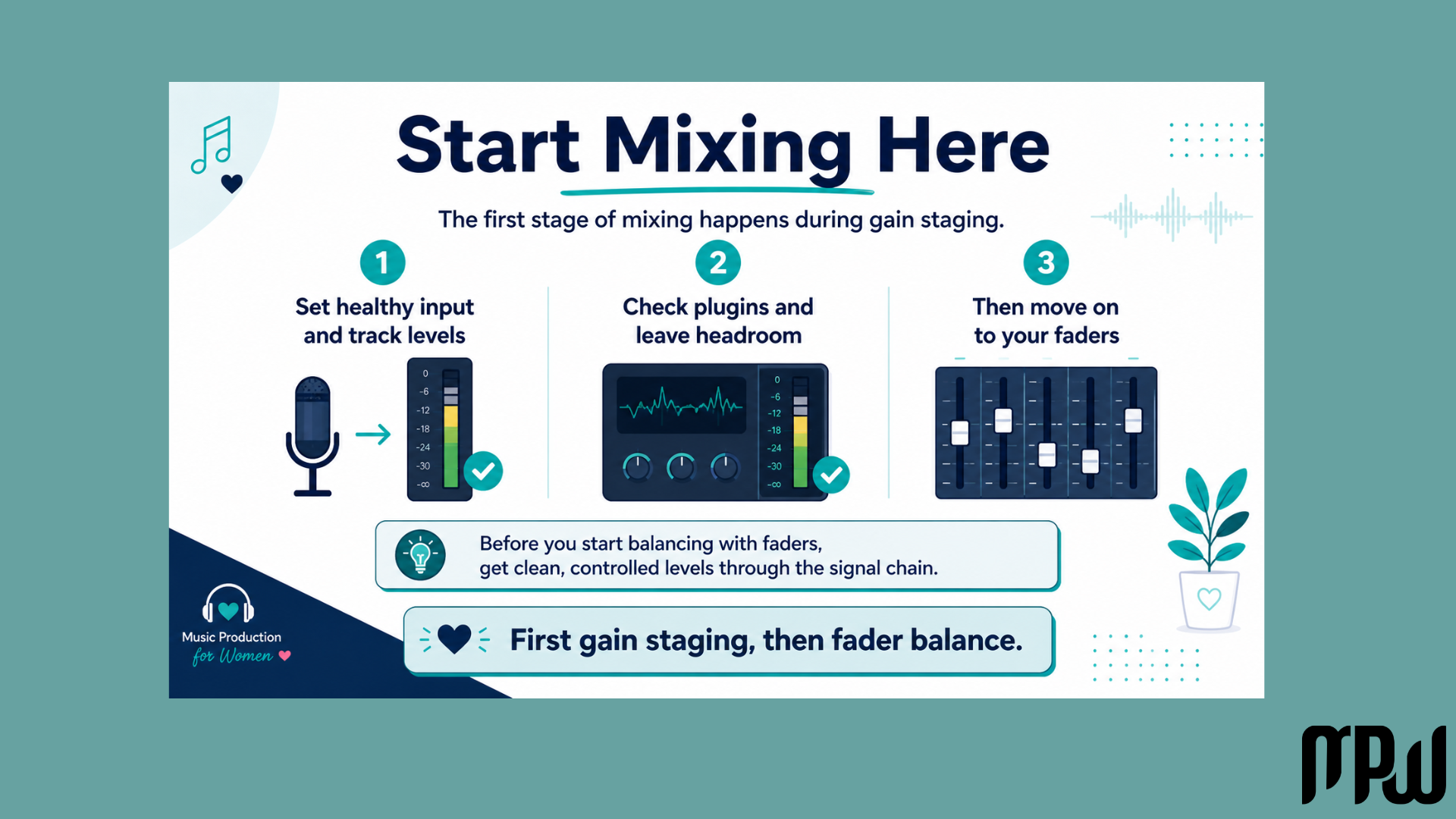
1. Start at the source
Gain staging actually starts inside the instruments themselves.
Whether it’s your drum kit, sampler, or synthesizer, look for an overall volume control on the instrument’s page to make sure it isn’t clipping right at the start.
2. Turn down the audio clip itself
If you are working with a recorded audio track or a sample, you can adjust the clip gain directly in the audio region.
By turning down the actual waveform before it even hits your mixer, you give your plugins a healthy, clean signal to work with from the get-go.
3. Use a gain or utility plugin
If adjusting every synth volume gets tedious, grab a nice and cute utility plugin.
You can use this to adjust the gain cohesively to a safe level.
4. Check your plugins
When you add an EQ, compressor, or saturator, compare the sound before and after.
If the plugin makes the track much louder, turn down the plugin output so you can judge the sound fairly.
This is especially important with compression.
Check out our Music Tutorial Playlist on YouTube.
5. Leave room for faders
Once your input levels are safely controlled, you can start mixing.
You’ll often find that your faders can sit comfortably around -8 dB or -10 dB, leaving you plenty of headroom.
6. Watch the stereo output
Your master channel should not be constantly hitting red.
Before mastering, it’s common to leave some headroom, often with your mix peaking around -6 dBFS.
This does not need to be exact.
Just avoid clipping.
Gain Staging in Logic Pro
If you are working in Logic Pro, you have a few simple ways to control gain without overcomplicating your session.
Region gain
You can adjust the gain of an audio region before it reaches your channel strip.
This is useful if a vocal recording, loop, or sample is already too loud before you add any plugins.
Gain plugin
Logic’s Gain plugin is one of the simplest tools for gain staging.
You can place it before a compressor, EQ, saturator, or channel strip to control how hard the signal hits the next plugin.
Plugin output controls
Many plugins have an output gain control.
Use this to level-match the processed sound with the bypassed sound.
For example, if you add a compressor and the vocal gets 3 dB louder, reduce the output by around 3 dB and compare again.
Channel fader
Your fader is mainly for the final mix balance.
A good rule is:
Use gain to control the signal going into plugins. Use faders to balance the mix.
That little mindset shift can make mixing feel much less chaotic.
Check out our Music Tutorial Playlist on YouTube.
Quick Gain Staging Cheat Sheet
Here’s your beginner-friendly gain staging cheat sheet.
Before adding plugins
Check that your instrument, sample, or audio region is not clipping.
Lower the source level if needed.
Keep the signal healthy before it enters the mixer.
While adding plugins
Watch the plugin input and output.
If a plugin makes the track louder, reduce the output.
Ask: “Does this sound better, or is it just louder?”
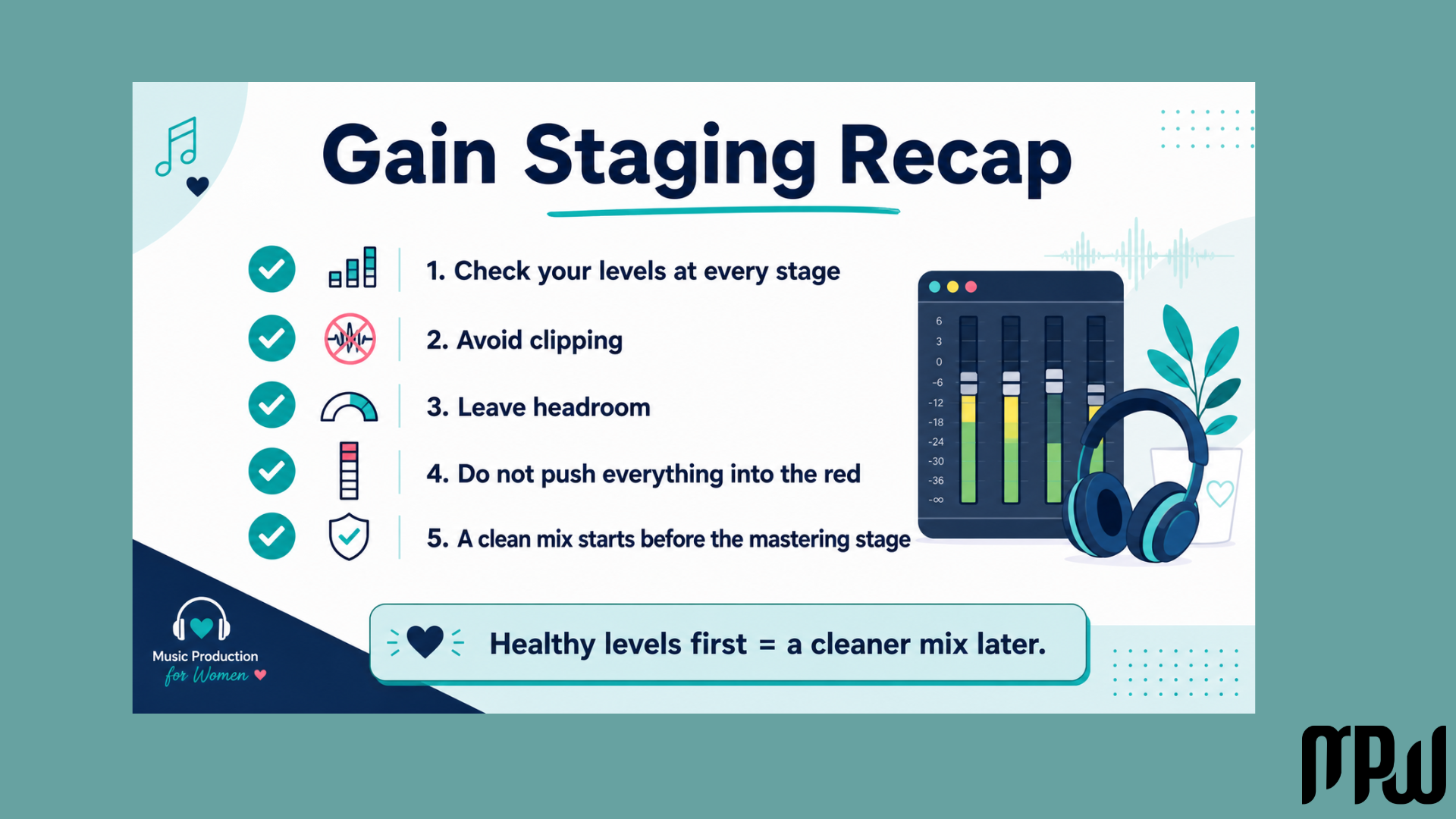
While mixing
Keep individual tracks away from constant red.
Leave headroom on your stereo output.
Do not use a limiter just to hide a messy gain structure.
Before mastering
Make sure your stereo output is not clipping.
Leave some space before 0 dBFS.
A common beginner target is around -6 dBFS peak, but do not obsess over the exact number.
Want to Start Producing But Not Sure Where to Start?

If you want to learn music production step by step without the tech overwhelm, join our free Intro to Music Production Masterclass and start building confidence inside your DAW.
Final Thoughts
Gain staging should never paralyze you or make you feel like you aren’t “technical enough” to mix your own music.
A clean mix starts during the production process, long before the mastering stage.
By using gain staging as a simple safety net to check your levels at every stage, you avoid clipping and give your music the breathing room it deserves.
The goal is not to turn mixing into accounting.
The goal is to keep your session clean, controlled, and easy to work with.
You’ve got this.
And don’t forget to watch Pia’s full bite-size breakdown video for a visual guide to keeping your tracks healthy and happy.