Do Audio Interfaces Improve Sound Quality? A Beginner-Friendly Answer
Do Audio Interfaces Improve Sound Quality? Everything You Need to Know (Without the Tech Overwhelm)
Table of Contents
What Does an Audio Interface Actually Do?
Do Audio Interfaces Improve Recording Quality?
Do Audio Interfaces Improve Playback Quality?
Do Audio Interfaces Improve Sound Through Studio Monitors?
Do Audio Interfaces Help with Latency?
When Does an Audio Interface Make the Biggest Difference?
When Might You Not Need One Yet?

Key Takeaways
Audio interfaces usually improve sound quality in home studios, especially for recording vocals or instruments.
They give you cleaner mic preamps. A preamp is a small amplifier that boosts your microphone's quiet signal to a level your computer can handle, resulting in less hiss, less noise, and a stronger signal right from the start.
They improve how your audio is converted from analog (your singing or playing) to digital (computer signal), so recordings and playback sound clearer and more accurate.
They help reduce latency, making recording feel more natural and less frustrating. Audio interfaces are most valuable when used with an XLR mic, studio headphones, or studio monitors.
If you only use a USB mic or you’re just getting started, you might not need one right away, and that’s okay, too.
Let’s be honest.
When starting your home studio, the concept of an "audio interface" can feel like a cryptic puzzle meant to gatekeep beginners. You’ve probably spent a few late nights wondering why your shiny new mic, premium DAW, and studio headphones are teaming up to make you sound like a drive-thru speaker.
I promise you, it's not a lack of talent, and you didn't buy a defective microphone.
The culprit? Your computer. Your laptop is a genius at spreadsheets and Netflix, but its internal audio system is absolutely garbage at handling professional recording tasks. It simply wasn't built for this.
So, do audio interfaces actually improve sound quality?
Short answer: yes, and probably more than you’d expect.
Let’s break down how audio interfaces impact every stage of your setup.
What Does an Audio Interface Actually Do?
Think of your audio interface as the translator between your analog world, your voice, your guitar, your synth, and the digital world inside your computer.
Your laptop’s built-in audio is for casual tasks, not for capturing the details of vocals or instruments.
An audio interface steps in and handles that job properly. It usually takes care of:
Microphone and instrument inputs
Headphone and speaker outputs
Preamp gain
Analog-to-digital conversion
Digital-to-analog conversion
Low-latency monitoring
It may look like a small box with a few knobs and ports, but it plays a huge role in how your setup sounds and feels.
If you want a more conversational beginner-friendly explanation, listen to MPW Podcast Episode 11, “Time to interface the music!

Check Out Our Podcast Episode!
Do Audio Interfaces Improve Recording Quality?
Yes, and the preamp is a big reason why
Your microphone captures sound, but the signal it outputs is tiny. Before it can be recorded properly, it needs to be amplified.
That’s where the preamp comes in.
A good audio interface has dedicated mic preamps built to boost your signal cleanly and clearly before it reaches your DAW.
A better preamp usually means:
Less hiss
Less background noise
More clarity and detail
A stronger, cleaner signal
That gives you a better starting point before you’ve even touched EQ, compression, or effects.
Conversion matters too
Your interface also handles analog-to-digital conversion, which converts your voice or instrument into a digital signal your computer can record.
A dedicated interface is usually far more reliable and accurate at doing this than your laptop’s built-in audio chip.
If your recordings lack life or clarity, it’s often not your talent or mic; sometimes your laptop just isn’t up to the job.
Do Audio Interfaces Improve Playback Quality?
Yes, even if you’re not recording
When you hit play in your DAW, your audio interface handles the digital-to-analog conversion that turns your session back into sound, sending it to your headphones or speakers.
A dedicated interface usually gives you clearer, more accurate playback than a standard laptop output.
Accurate playback matters because every mix decision depends on what you hear.
Because if what you’re hearing is slightly off, too harsh, too blurry, too uneven. Every decision you make while producing or mixing is based on that version of the truth.
Good playback helps you make better choices about:
Vocal levels
EQ
Reverb and delay
Stereo width
Overall balance
Headphone amps make a difference, too
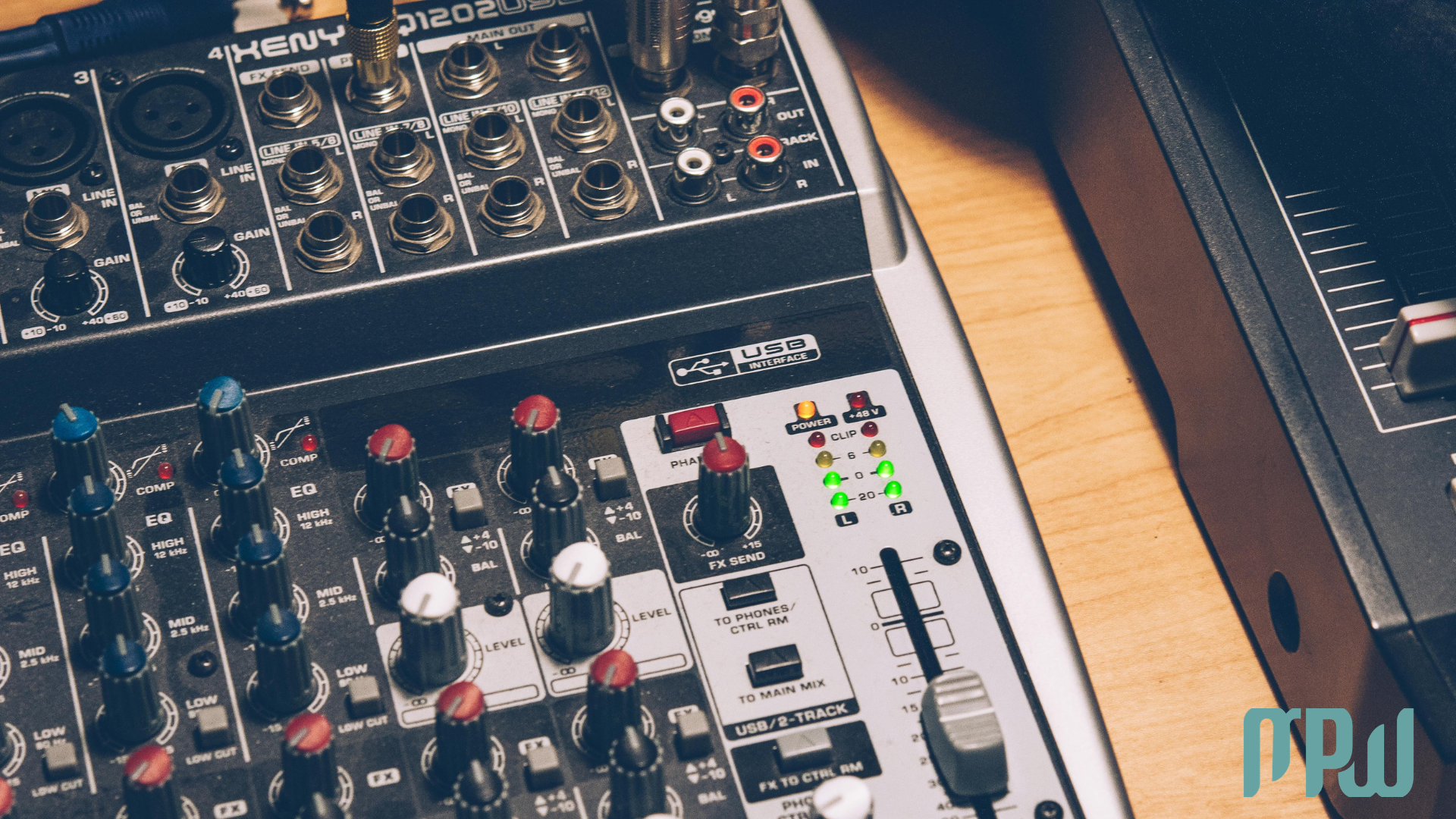
Many interfaces also include a dedicated headphone amplifier.
That’s especially useful if your studio headphones sound a bit weak or dull through your laptop. In many cases, they simply need more power than your computer can give them.
So yes, even just for listening, an audio interface can noticeably enhance your workflow.
Do Audio Interfaces Improve Sound Through Studio Monitors?
Absolutely, and this matters a lot
If you use studio monitors, an audio interface becomes even more important. Interfaces are designed to connect to speakers using balanced outputs, which help reduce:
Hum
Buzz
Electrical interference
That gives you a cleaner, more reliable signal path. Though it may seem technical, cleaner signal paths greatly affect how accurately your speakers reveal your mix. With a proper interface, you get:
Cleaner outputs
More stable connections
Better level control
A more professional monitoring setup
And when you can trust what you hear, it becomes much easier to trust your creative decisions too.
Do Audio Interfaces Help with Latency?
Yes, and for many people, this is the biggest improvement
Latency is the delay between making a sound and hearing it back.
Even a tiny delay can make recording feel awkward, disconnected, and frustrating, especially when you’re singing or playing something expressive.
Most audio interfaces are designed to reduce latency dramatically. Latency is the short delay between creating a sound and hearing it through your headphones or speakers, which can be distracting if it's too long.
Many also include direct monitoring, which lets you hear yourself in real time without the signal having to travel through your computer first.
That means:
Less delay
Better timing
A smoother recording experience
More confidence while performing
The improvement in feel can be as important as the technical upgrade.
When Does an Audio Interface Make the Biggest Difference?
An audio interface will usually have the biggest impact if you:
Record guitar, bass, synths, or other instruments
Use studio headphones
Use studio monitors
Struggle with latency
Want a cleaner, more professional signal path.
If your setup checks any of these boxes, an interface is one of the most worthwhile upgrades you can make.
When Might You Not Need One Yet?
Not everyone needs an audio interface right away, and that’s completely fine.
You might not need one yet if you:
Only use a USB microphone.
Mainly make beats and don’t record audio.
Listen through standard consumer headphones.
You are early in your journey and need to prioritize other essentials first.
An audio interface is helpful but not essential for making music you care about.
But if you’re serious about recording at home and building a setup that works with you rather than against you, it's a very smart investment.

Final Verdict: Is an Audio Interface Worth It?
For most home producers, singer-songwriters, and artists recording at home, yes, absolutely.
It won’t write better songs for you. It won’t magically fix everything.
But it will give you:
Cleaner recordings
More accurate playback
Better sound through your headphones and monitors
Lower latency
A smoother, more supportive workflow
And sometimes, removing that friction is exactly what helps you stop overthinking your setup and start actually making music.
Want to Start Producing But Not Sure Where to Start?

FAQ
Do audio interfaces improve sound quality?
Yes, they provide cleaner preamps, better audio conversion, lower latency, and more accurate headphone and speaker outputs. For most home studio setups, the improvement is very noticeable.
Does an audio interface make vocals sound better?
It can make a real difference, especially if you’re recording with an XLR microphone. A good interface gives you a cleaner, stronger signal with less noise and more detail.
Do I need an audio interface if I use a USB mic?
Not necessarily right away. USB mics already have built-in conversion, so they work without an interface. But if you want more flexibility, better monitoring, or room to grow, an interface is still worth considering.
Does an audio interface reduce latency?
Yes. Most interfaces are specifically designed to reduce latency, and many include direct monitoring so you can hear yourself in real time while recording.
Do audio interfaces improve headphone sound?
They often do. Many interfaces have dedicated headphone amps that deliver more power and more accurate playback than a standard laptop output.
Do I need an audio interface for studio monitors?
In most cases, yes. It’s the proper way to connect studio monitors and get clean, balanced output for accurate listening.
Is an audio interface worth it for beginners?
Yes, especially if you want to record vocals or instruments at home. It’s one of the most useful upgrades you can make early on, for both sound quality and workflow.