Stem Splitter Guide: Logic Pro, Ableton Free Tools
Table of Contents
Why Every Producer Needs a Stem Splitter
How to Use the Stem Splitter in Logic Pro
How to Separate Stems in Ableton Live 12
Best Free Online Stem Splitter Tools

Key Takeaways
The Hunt is Over: No more begging for acapellas. Modern Splitter AI does the work in seconds.
DAW Integration: Logic Pro and Ableton Live 12 now offer native separation features that work locally on your machine.
Versatility: You can isolate just the vocals, just the drums, or everything at once.
Pro Tip: Isolated AI stems aren't always perfect, but they disappear beautifully once mixed with your own instruments.
If you’ve ever needed an acapella, instrumental, or clean drum break from a finished track, a stem splitter can save you hours.
The other day, a friend of mine sent me one of his songs and asked if I wanted to add a verse. I was excited straight away. I could already hear where my vocals and synth ideas could sit. The only issue was that he didn’t have the stems. He only had the final bounce.
A few years ago, that would’ve slowed the whole session down. I would’ve had to ask for old project files, dig through exports, or try to work around the fact that I didn’t really have enough control over the track. But this time, I opened my DAW, ran the track through a stem splitter, and quickly turned one bounced file into something I could actually shape and build on.
In this guide, I’ll show you how to use a stem splitter in Logic Pro and Ableton Live, plus a few free online options if you’re not using the latest DAW version.
Why Every Producer Needs a Stem Splitter
A stem splitter removes a huge amount of friction from music production.
It doesn’t replace the original multitrack session, but it gives you enough control to keep creating when all you have is one bounced file. That can be the difference between finishing the idea and abandoning it.
You can use a stem splitter to:
isolate vocals for a remix or feature
study how a professional mix is balanced
separate drums or bass for sampling
make room for your own production ideas
That’s exactly what I needed with my friend’s song. I didn’t need a perfect reconstruction of the original session. I just needed room to work.
How to Use the Stem Splitter in Logic Pro
If you’re a Logic user, the Logic Pro stem splitter is one of the easiest ways to do this.
The workflow
Drag your audio file into Logic Pro;
Select the region;
Right-click and choose the stem splitting option.
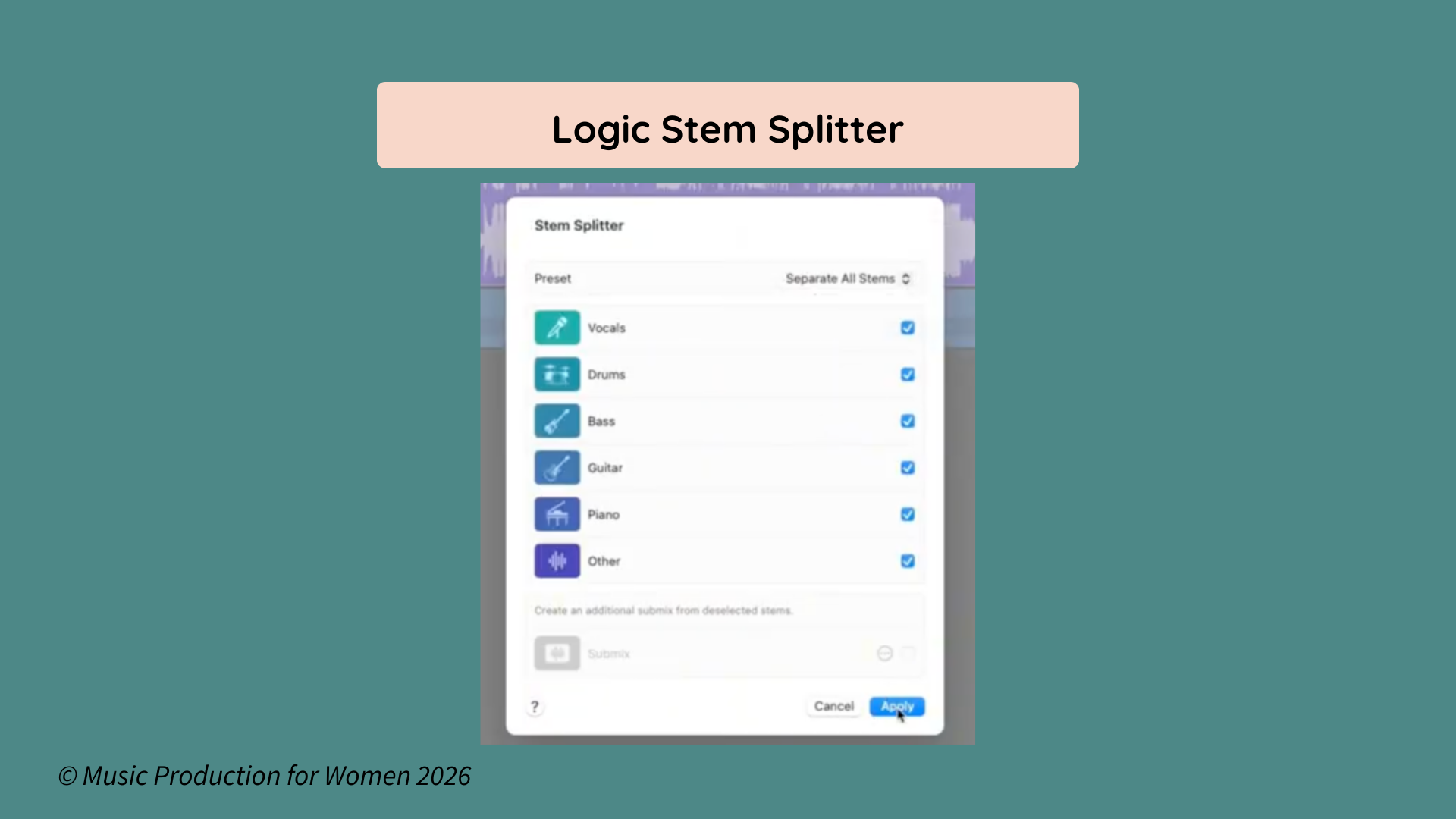
What I like about Logic is that it gives you control before processing starts. If you only need vocals, you can focus on that. If you want drums, bass, and instruments too, you can split the whole file.
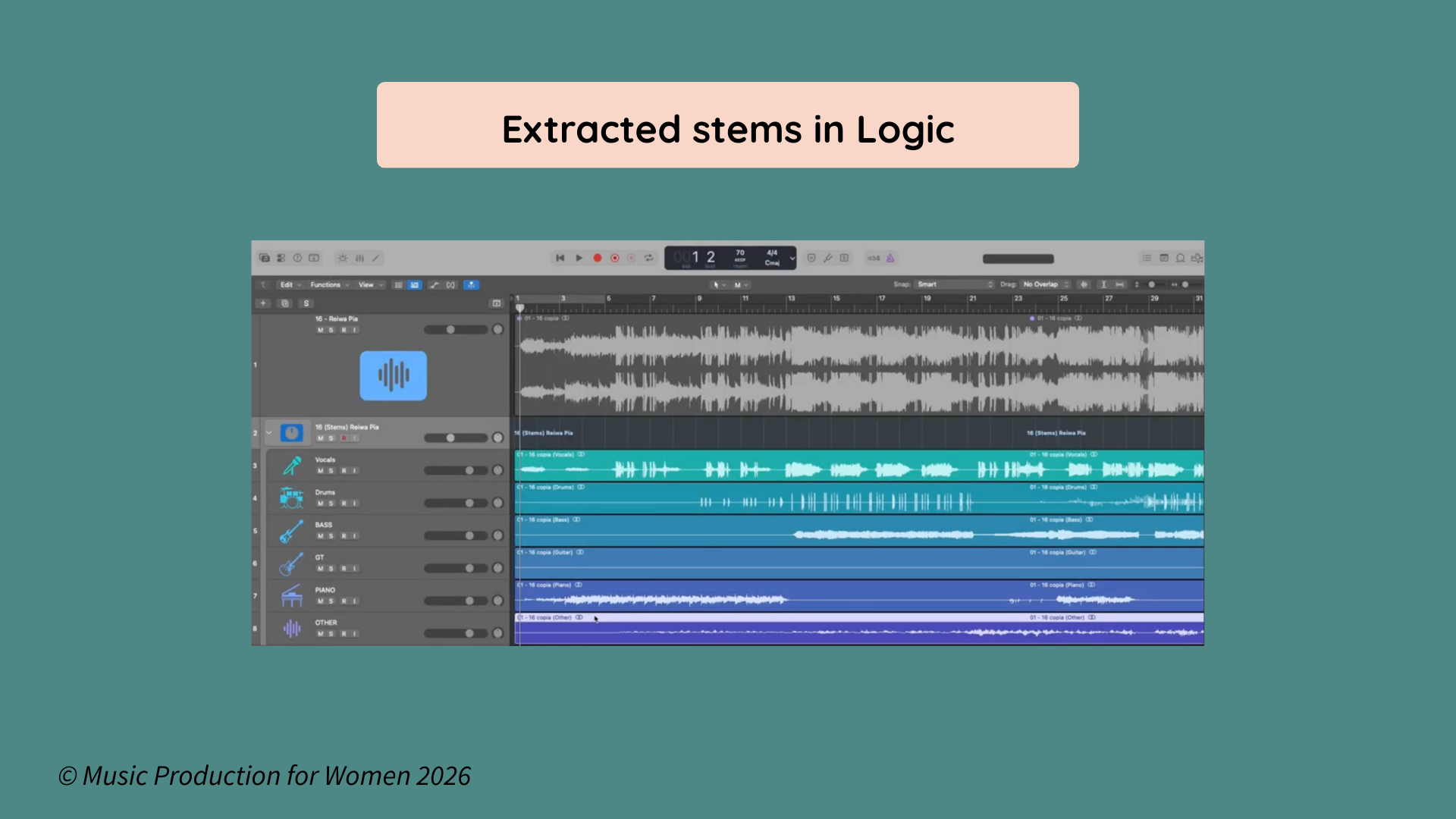
Once the process is complete, Logic lays everything out clearly on separate tracks, making the workflow feel tidy and beginner-friendly.
One honest note: even though the process is simple, fuller separation can still take a little time. It’s much easier than hunting for stems online, but it’s not an immediate process.
How to Separate Stems in Ableton Live 12
If you’re an Ableton user, you can also do stem separation without leaving your DAW.
The workflow
Drop the audio file into your session;
Select the clip;
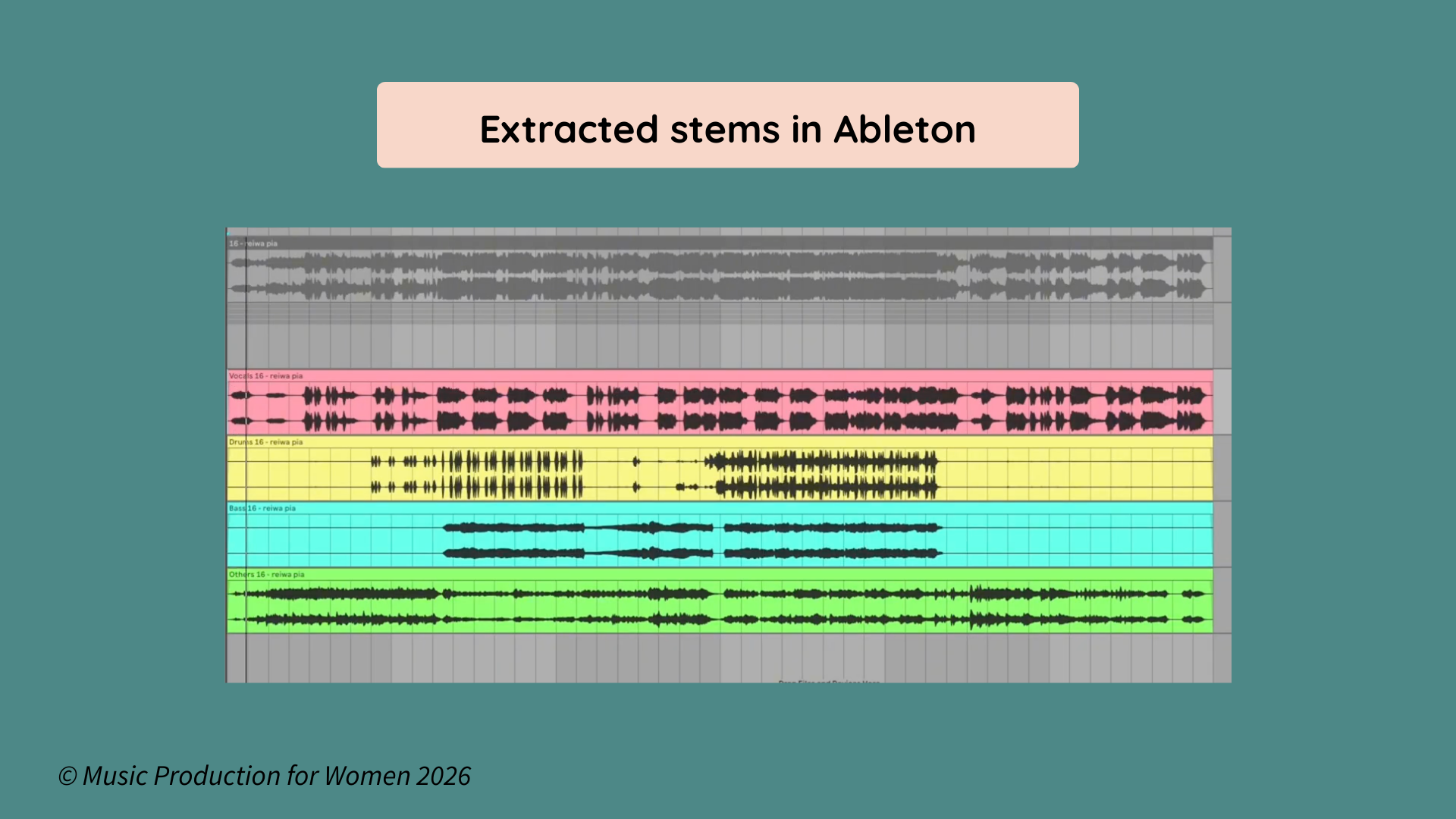
Use Ableton’s stem separation command to split it into new tracks.
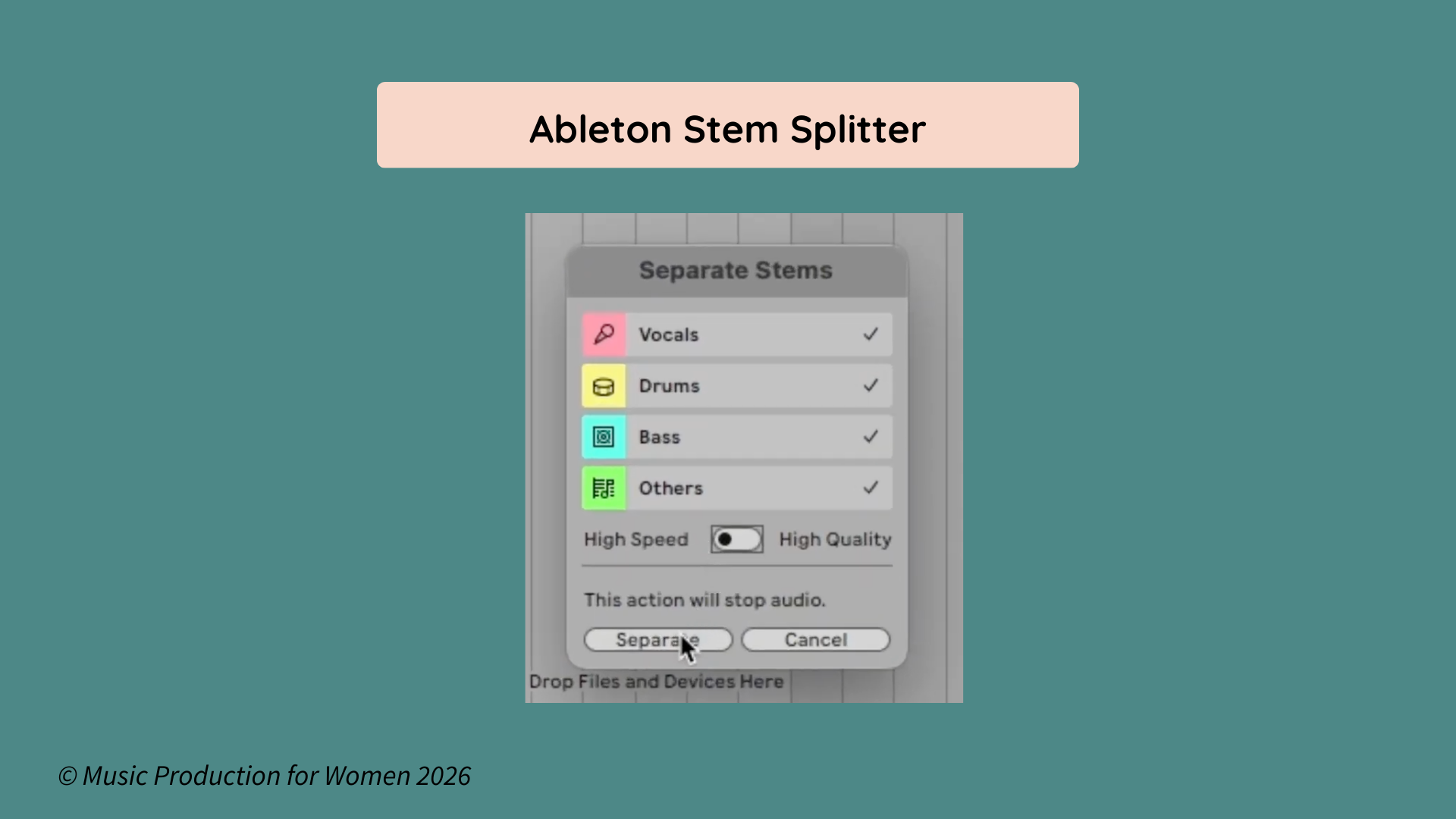
Ableton feels slightly different from Logic. Logic feels more selective at the beginning, while Ableton feels more immediate once the split is done.
That makes Ableton especially useful if you want to start transforming the material right away. Once the track is split, you can warp, chop, resample, rearrange, or build a remix idea instantly.
So even though Ableton’s native stem separation is still a relatively new feature, it’s absolutely worth covering because the creative workflow is genuinely strong. Just like in Logic, the processing can still take a little time depending on the file and what you need. Ableton also includes a faster processing mode that slightly lowers the quality, but depending on the project, the speed trade-off can be well worth it.
Best Free Online Stem Splitter Tools
Not everyone’s on the latest version of Logic or Ableton, and not everyone wants to handle stem separation inside a DAW.
That’s where free online tools come in.
If you search for a stem splitter online, you’ll find browser-based options that can separate vocals, drums, bass, and instruments in just a few clicks. Common names you’ll come across include BandLab Splitter, Moises, and LALAL.AI.
I’m not mentioning these as sponsorships or claiming there’s one single winner. They’re simply well-known options that many producers try as part of their workflow.
And honestly, depending on your setup, using an online tool can sometimes feel faster than waiting for local processing inside your DAW.
So if you use FL Studio, Cubase, Studio One, Pro Tools, or an older DAW version, a free online stem splitter can still be a very practical solution.
How to Make Extracted Stems Sound Better
When you solo an extracted vocal, it may sound phasey, watery, or slightly rough. That’s normal. A stem splitter is pulling apart a file that was already glued together.
What matters most is how the stem sounds back inside a full arrangement.
That was one of the biggest things I noticed while testing this workflow. A vocal that sounded imperfect on its own often worked perfectly well once I built new drums, bass, and synths around it.
So before you reject an extracted stem:
put it in the mix;
build around it;
listen in context.
That’s the real test.
Want to Start Producing But Not Sure Where to Start?

Final Thoughts
That session with my friend reminded me of something I come back to often in music production: sometimes the thing standing between you and the idea isn’t a lack of talent. It’s not even a lack of skill. Sometimes, it’s just one practical problem that makes the whole session feel harder than it needs to be.
It was that kind of situation that could easily make you think, Okay, maybe this isn’t doable after all.
That’s why I care so much about tools like this. They don’t do the creative work for you, but they do help remove the friction that gets in the way of it.
So if you’ve been putting off a remix, a feature, a sample flip, or even just experimenting with a track because you don’t have the “right” files, take this as your sign to try anyway.
You might already be much closer to making it work than you think.
FAQ
Q: What is a stem splitter?
A: A stem splitter is a tool that separates a finished audio file into parts like vocals, drums, bass, and instruments.
Q: Is a stem splitter accurate?
A: It can be surprisingly accurate for practical production work. It’s not the same as having the original stems, but many tools are more than good enough for remixing, sampling, and studying mixes.
Q: What is the best free online stem splitter?
A: The best free online stem splitter depends on your workflow. Most producers try a few and keep the one that gives them the cleanest result with the least friction.
Q: Can Ableton separate stems?
A: Yes. Ableton Live 12 includes native stem separation, which is especially useful if you want to manipulate the results in real time.