What Is the Haas Effect? Make Vocals Sound Wider
Table of Contents
Why Is It Called the Haas Effect?
How Much Delay Should You Use?
Where Should You Use the Haas Effect?
Key Takeaways
The Haas effect creates the impression of stereo width using a very short delay.
A good starting point is usually between 10 and 30 ms.
For vocals, try starting around 10 to 20 ms.
The Haas effect is not the same as real vocal doubling.
It works especially well on backing vocals, ad-libs, vocal chops, guitars, and synths.
Always check your mix in mono to avoid phase problems.
You’ve cleaned up your vocal, EQ’d it, compressed it, and maybe even added a little reverb and delay.
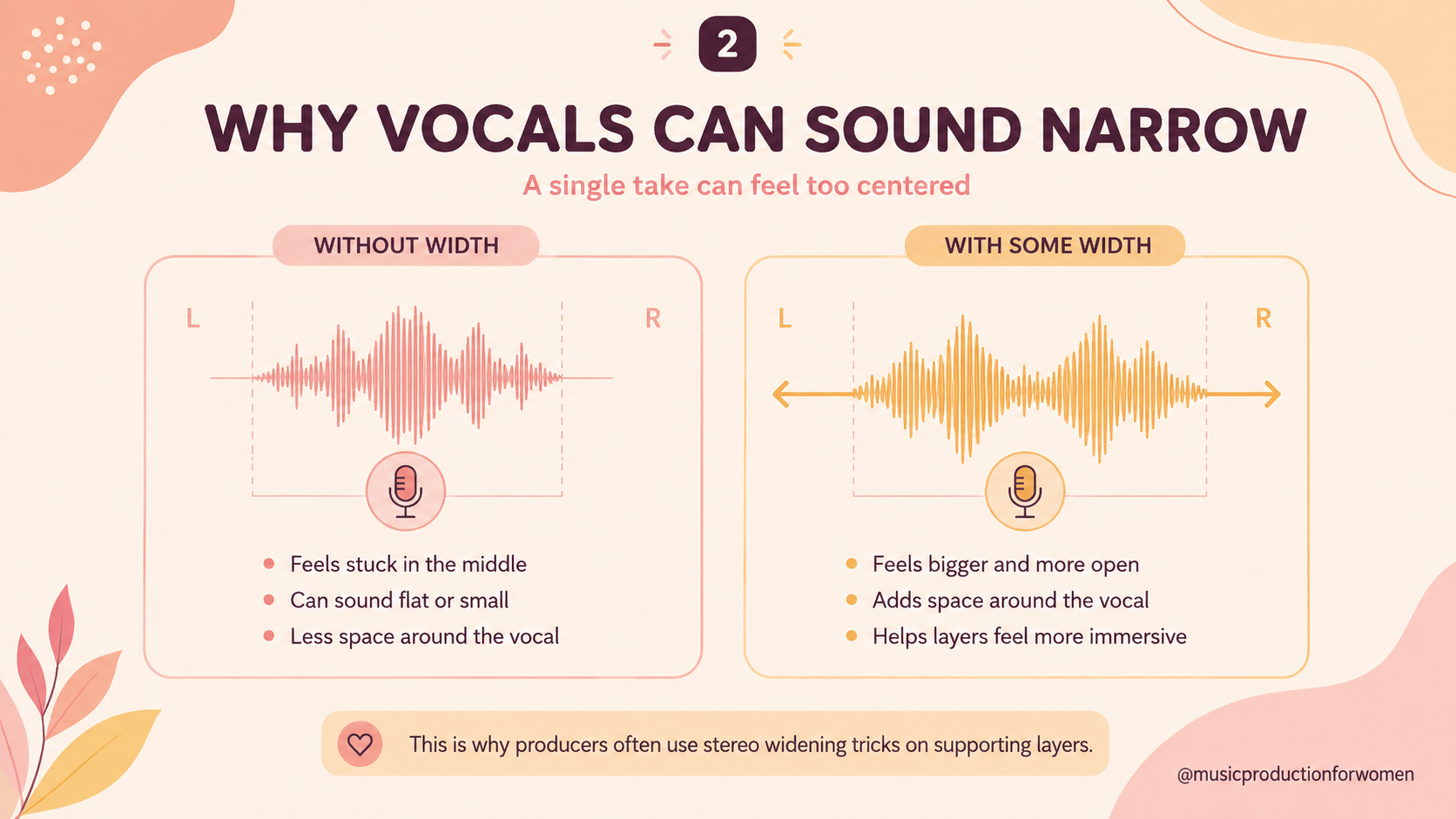
On its own, it sounds good. But then you compare it to a polished pop track, and suddenly your vocal feels flat, narrow, and stuck in the center of the mix. Meanwhile, their vocals seem to wrap around your headphones: wide, warm, and expensive-sounding.
So what’s going on? Did they record fifty perfect vocal takes?
That’s an option. But one technique producers often use to create that illusion of stereo width is the Haas effect.
I’ve spent countless hours in Ableton and Logic trying to make vocals feel bigger without overcrowding the mix, and the Haas effect is one of those simple tricks that can instantly change the way a sound feels. It doesn’t replace a good recording, real vocal doubles, or proper harmonies, but it can help a single vocal, backing layer, ad-lib, guitar, or synth feel wider and more spacious.
So grab an espresso, or an iced coffee if, like me, you’re currently melting in the Sicilian heat, and let’s break it down.
What Is the Haas Effect?
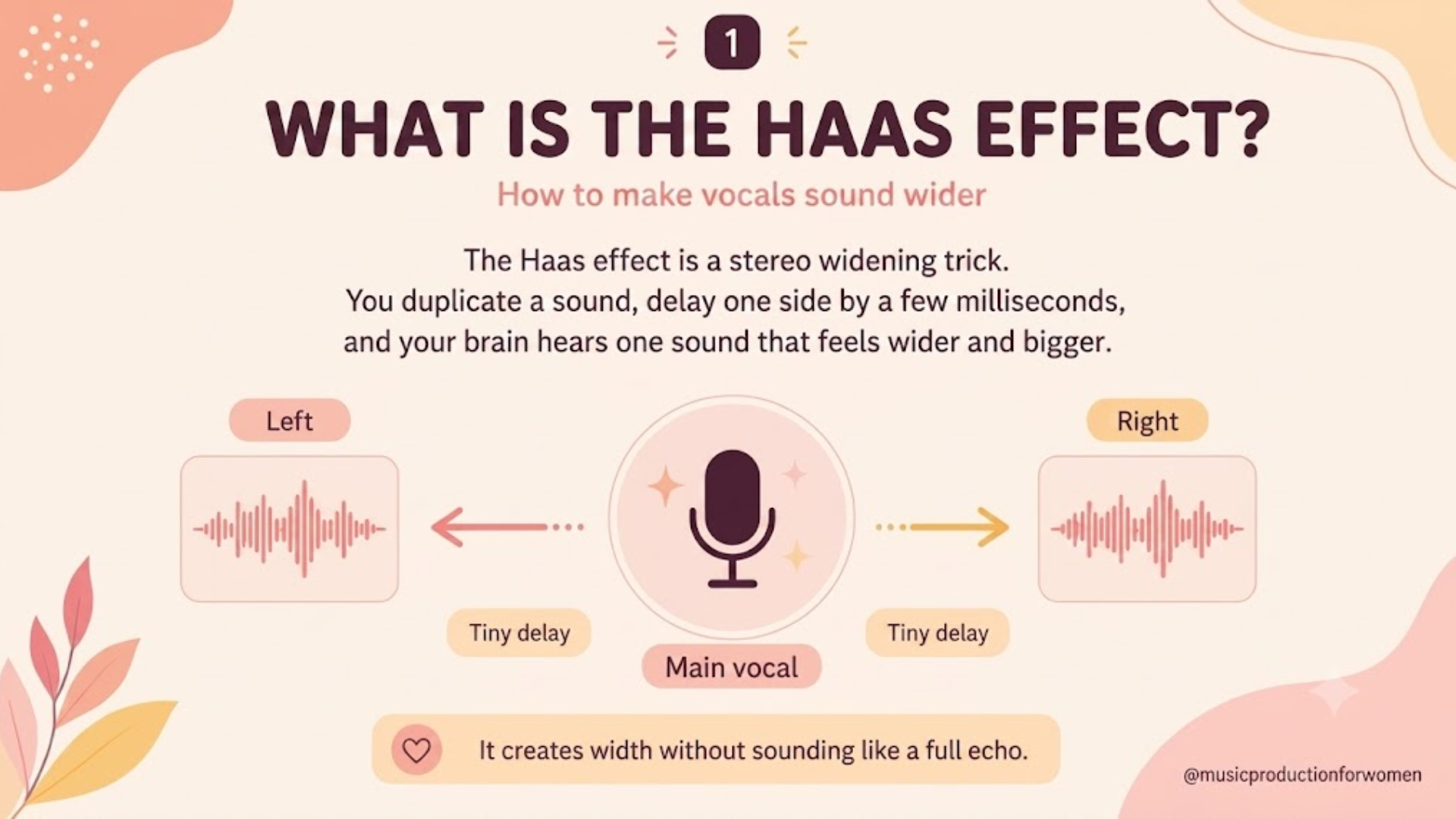
The Haas effect is a psychoacoustic effect where a sound is duplicated, and one version is delayed by a very small amount of time.
Because the delay is so short, your brain does not usually hear it as a separate echo. Instead, it blends the two sounds and perceives them as a single, wider stereo sound.
In music production, we can use this effect to make a sound feel wider in the stereo field. For example, you can duplicate a vocal, pan the copy to one side, and delay it by just a few milliseconds. The result can make the vocal feel thicker, wider, and more spacious.
It is not the same as recording a real double, but it can be a useful trick when you only have one vocal take to work with.
Because this technique relies on a delayed copy of the same audio, it should always be used with caution. Very short delays can create phase issues or comb filtering, especially when the mix is played back in mono. That is why the Haas effect works best when the delayed layers are blended and subtly checked in mono.
Why Is It Called the Haas Effect?
The Haas effect is named after Helmut Haas, who studied how humans perceive delayed sounds.
It is closely related to something called the precedence effect. This means that when two similar sounds arrive very close together, our brain usually focuses on the first sound to understand where the sound is coming from.
If the second sound arrives just a few milliseconds later, we may not hear it as a separate repeat. Instead, we perceive the sound as wider or more spacious.
That is why the Haas effect can be so useful in mixing: it helps create a sense of width without adding an obvious echo.
How Much Delay Should You Use?
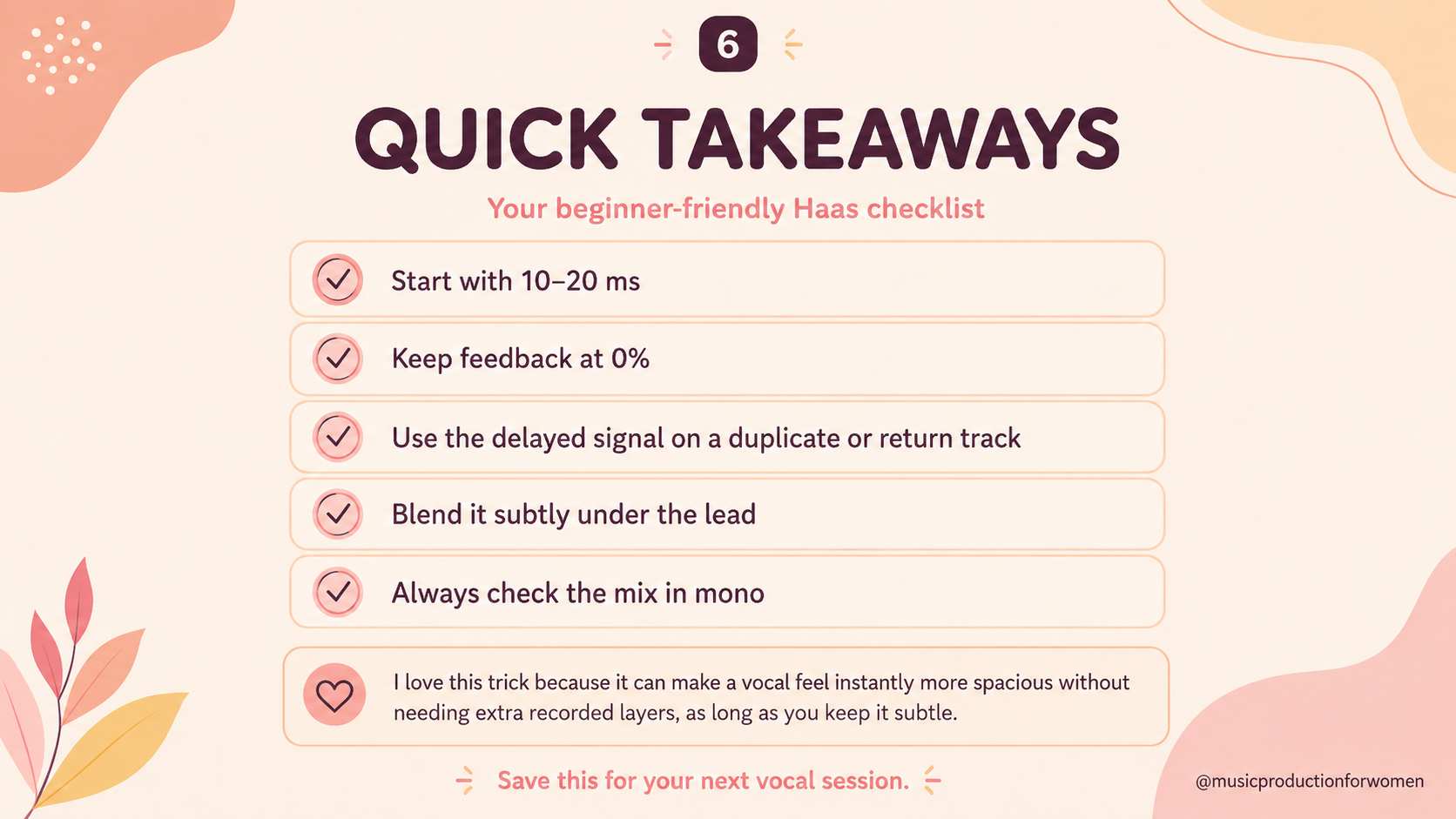
A good starting point for the Haas effect is typically 10–30 milliseconds.
For vocals, I recommend starting around 10 to 20 ms. This range is often enough to create width without making the delay too obvious.
Here is a simple guide:
Under 10 ms: This can sometimes create comb filtering, which may make the vocal sound hollow, metallic, or phasey.
10–20 ms: A good starting point for vocals.
20–30 ms: This can sound wider, but the delay may start becoming more noticeable.
Over 30 ms: The effect may begin to sound more like a slapback echo than stereo width.
The best setting depends on the vocal, the song’s tempo, and how busy the mix is. As with most things in music production, there is no perfect number for every song, so adjust by ear.
Haas Effect vs Vocal Doubling
The Haas effect is sometimes confused with vocal doubling, but they are not the same thing.
Vocal doubling means recording the same vocal part more than once. The singer repeats the same line, and the subtle natural differences in timing, pitch, tone, and delivery create a thicker, more organic sound.
The Haas effect creates a false sense of width in a recording by using a very short delay.
Real vocal doubling usually sounds more natural because every take is slightly different. The Haas effect is more of a mixing trick. It can be very useful when you only have one solid vocal take available, but it does not create a true vocal harmony or a real double-tracked performance.
Where Should You Use the Haas Effect?
The Haas effect is great for making vocals and other sounds feel wider, but the trick is in how you use it.
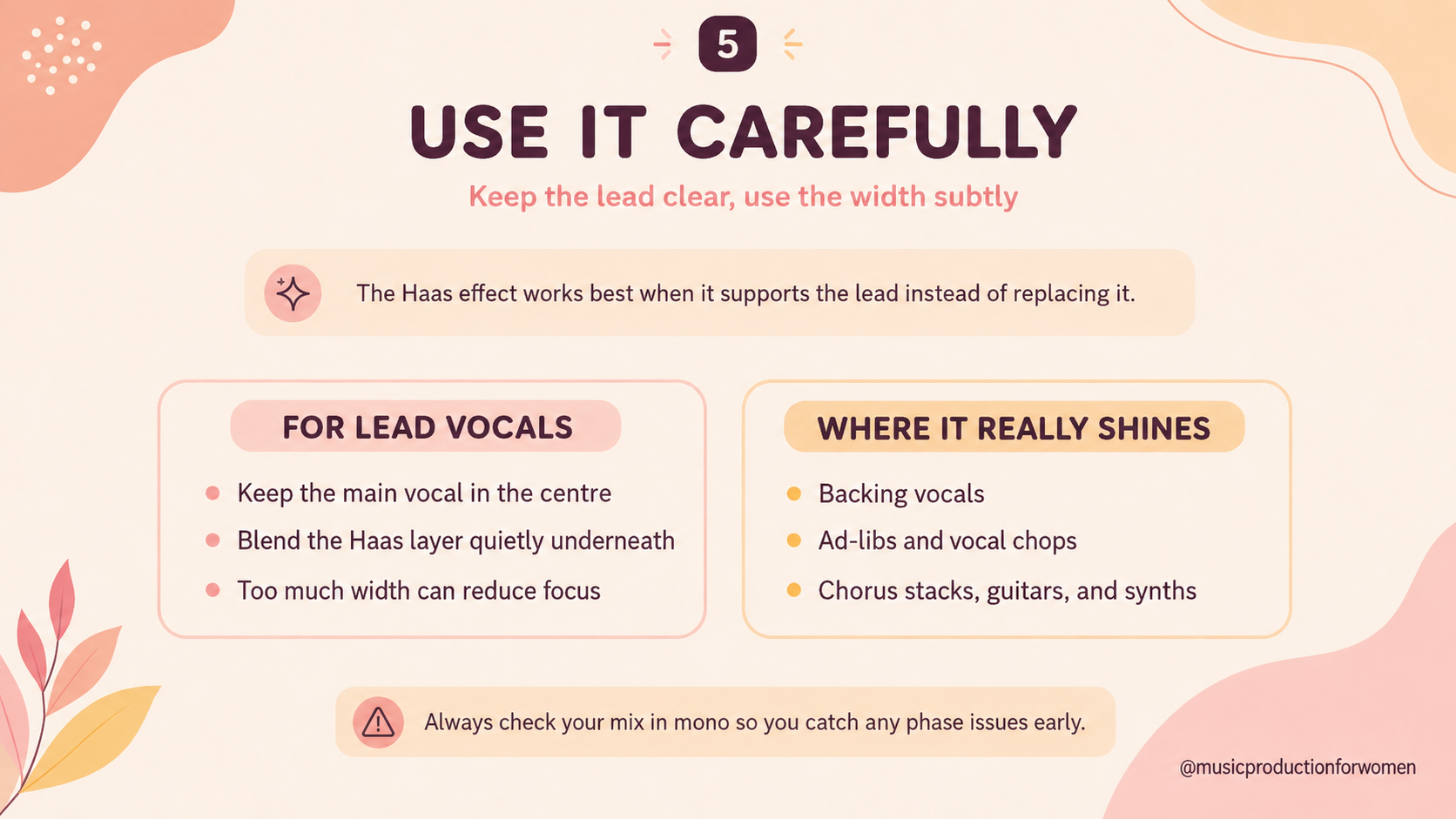
For a lead vocal, keep the main voice centered and use the Haas effect as a subtle layer underneath. This way, the vocal still feels focused and emotionally direct, but it has a little extra width around it.
Where the Haas effect really shines is on supporting layers, such as:
Backing vocals
Ad-libs
Vocal chops
Chorus layers
Guitars Synths
Sound effects
It can be especially useful when you want something to feel wider without taking too much space in the center of the mix.
So the rule is not “never use it on the lead vocal.” The rule is: keep the lead vocal centered, keep the Haas layer subtle, and use the widest versions of the effect on the parts around the lead.
How to Use the Haas Effect on Vocals
You can create the Haas effect in almost any DAW, including Ableton Live, Logic Pro, FL Studio, Pro Tools, and GarageBand.
Here is a simple beginner-friendly method.
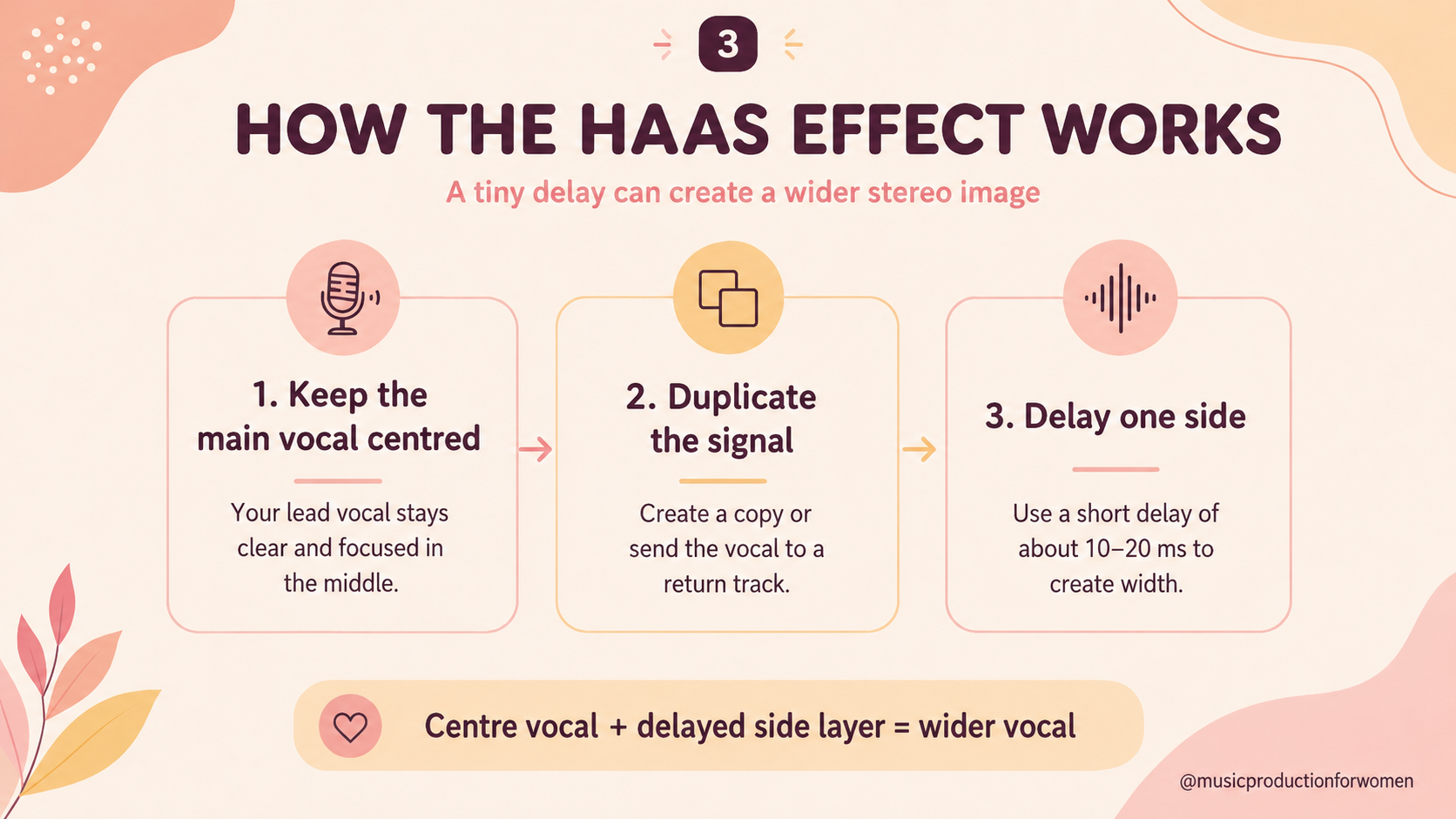
1. Keep Your Main Vocal in the Center
Start with your lead vocal in the center of the mix.
This helps the vocal stay focused, clear, and emotionally direct. The lead vocal is usually one of the most important elements in the song, so you do not want to make it disappear into the sides.
2. Duplicate the Vocal Track
Create a copy of the vocal track, or send the vocal to an aux/return track.
This duplicated or sent version is the one you will use to create the width, while your main vocal stays centered. Keep in mind, this extra layer should support the main vocal, not replace it.
If the delayed layer is too loud or too close to the dry vocal, it can create phase problems, especially in mono.
3. Pan the Duplicate to One Side
Take the duplicated vocal and pan it slightly to the left or right. This creates a wider feeling while keeping the main vocal clear and focused in the center.
Pro tip: If you want an even wider effect, you can create two duplicates: pan one left and one right. Then add a slightly different short delay to each side, for example, 12 ms on one side and 18 ms on the other.
This can sound bigger, but it can also create more phase issues, so always check your mix in mono.
4. Add a Very Short Delay
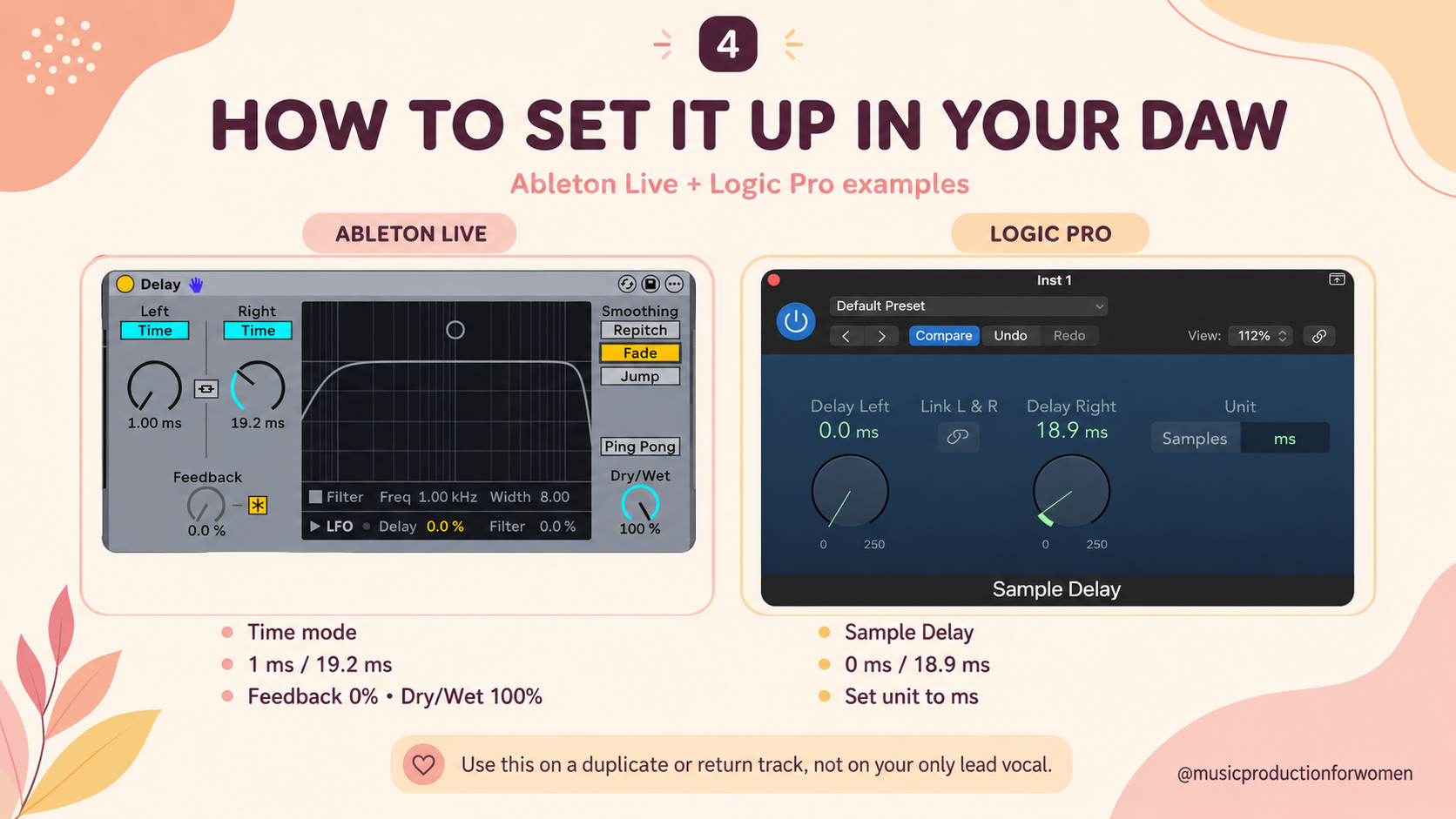
Add a simple delay plugin to the duplicated track.
Set the delay time somewhere between 10 and 20 ms to start. Make sure the delayed signal is fully wet, or that you are only hearing the delayed version on the duplicate track.
Pro tip: If you are using a duplicate track, make sure you are not accidentally hearing another dry version of the vocal at the same time. The main dry vocal should come from the original centered track, while the duplicate/send track should provide only the delayed layer.
5. Turn Feedback Down
Set the feedback to 0%.
You do not want many repeated echoes. For the Haas effect, you usually only want one short delayed signal.
6. Blend the Delayed Vocal Underneath
Bring the delayed vocal down in volume so it sits underneath the main vocal.
The goal is not for the listener to clearly hear the duplicate. The goal is for the lead vocal to feel wider and more polished without sounding obviously processed.
7. Check the Mix in Mono
This step is important.
Switch your mix to mono and listen carefully. If the vocal suddenly sounds thin, hollow, or disappears, you may have phase issues.
Try changing the delay time by a few milliseconds, lowering the delayed signal, or using the effect more subtly.
Common Haas Effect Mistakes
The Haas effect is simple, but it can cause problems if you overuse it.
1. Using Too Much Delay
If the delay time is too long, the effect can turn into an echo.
That can be a great creative choice, especially for certain vocal styles, but it is no longer the classic Haas effect.
2. Making Everything Too Wide
If every sound in your mix is wide, nothing feels wide anymore.
Stereo width works best when there is contrast. Keeping some elements centered, such as kick, bass, snare, and lead vocal, can make the wide elements feel even bigger.
3. Ignoring Phase Issues
Because the Haas effect relies on a delayed copy of the same audio, it can cause phase cancellation.
This can make your vocal sound thin or weak, especially when played in mono. That is why checking your mix in mono is so important.
4. Making the Lead Vocal Too Wide
One common mistake is making the lead vocal so wide that it loses focus.
If the Haas layer is too loud, the vocal can start to feel blurry, phasey, or less emotionally direct. Keep the main vocal centered, and blend the delayed layer underneath it rather than letting it take over.
Want to Start Producing But Not Sure Where to Start?

Final Thoughts:
The Haas effect is a simple but powerful way to create stereo width in your mix.
By duplicating a sound, delaying one version by a few milliseconds, and blending it carefully, you can make vocals and other instruments feel wider and more spacious.
I love tricks like this because they remind me that music production is often about tiny decisions that completely change how a sound makes you feel. Sometimes, a few milliseconds are enough to take a vocal from feeling flat and narrow to feeling like it has its own little world around it.
Just remember: the Haas effect is not a replacement for real vocal doubling, and it can create phase issues if you overdo it.
Start with a short delay time, keep the effect subtle, and always check your mix in mono. Your goal is not to make the effect obvious, it is to make the vocal feel wider, more emotional, and more alive.
FAQs
Reference List
Sound On Sound - “Q. Can Haas delays be mono-compatible?”
Sound On Sound -“Haas Effect.”
Audio Engineering Society - “The Precedence Effect in Sound Localization.”